
A risk treatment rule is a piece of automated logic that determines how a risk should be handled based on the characteristics of the system component it's associated with. Rather than requiring users to manually decide risk treatment every time, the Paramify evaluates a set of conditions — like whether a component is a leveraged system, who configured it, and what role it plays — and automatically assigns the appropriate treatment category and responsible parties.
This interactive guide helps to educate on risk treatment rules by walking through a series of scenarios. Use it to understand automated logic used within Paramify.
Risk treatment rules allow you to define how identified risks should be handled across your program. You can apply these rules directly to any solution capability, giving you granular control over how risk is addressed at the capability level.
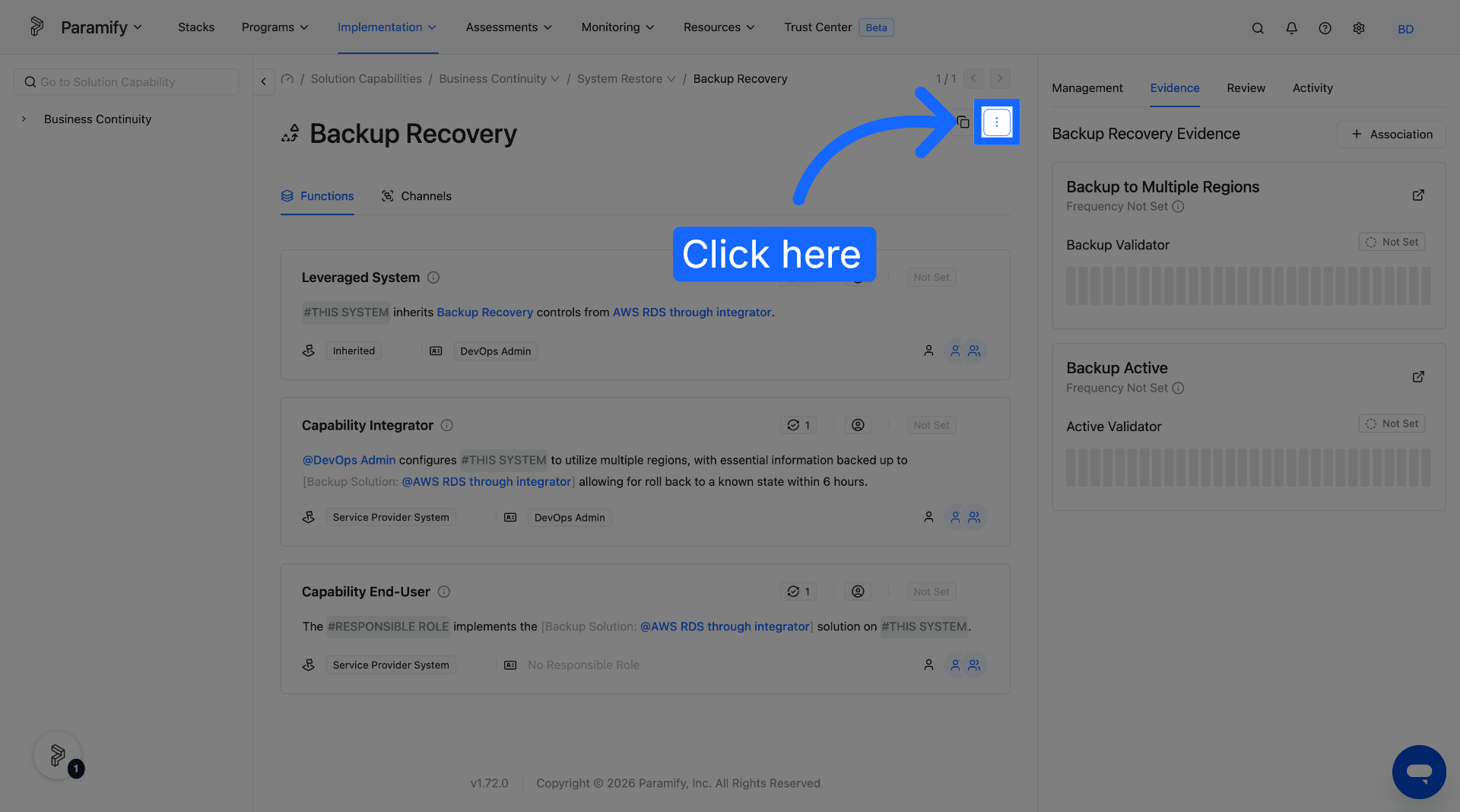
In any solution capability, select the three dots icon in the top right of the capability.
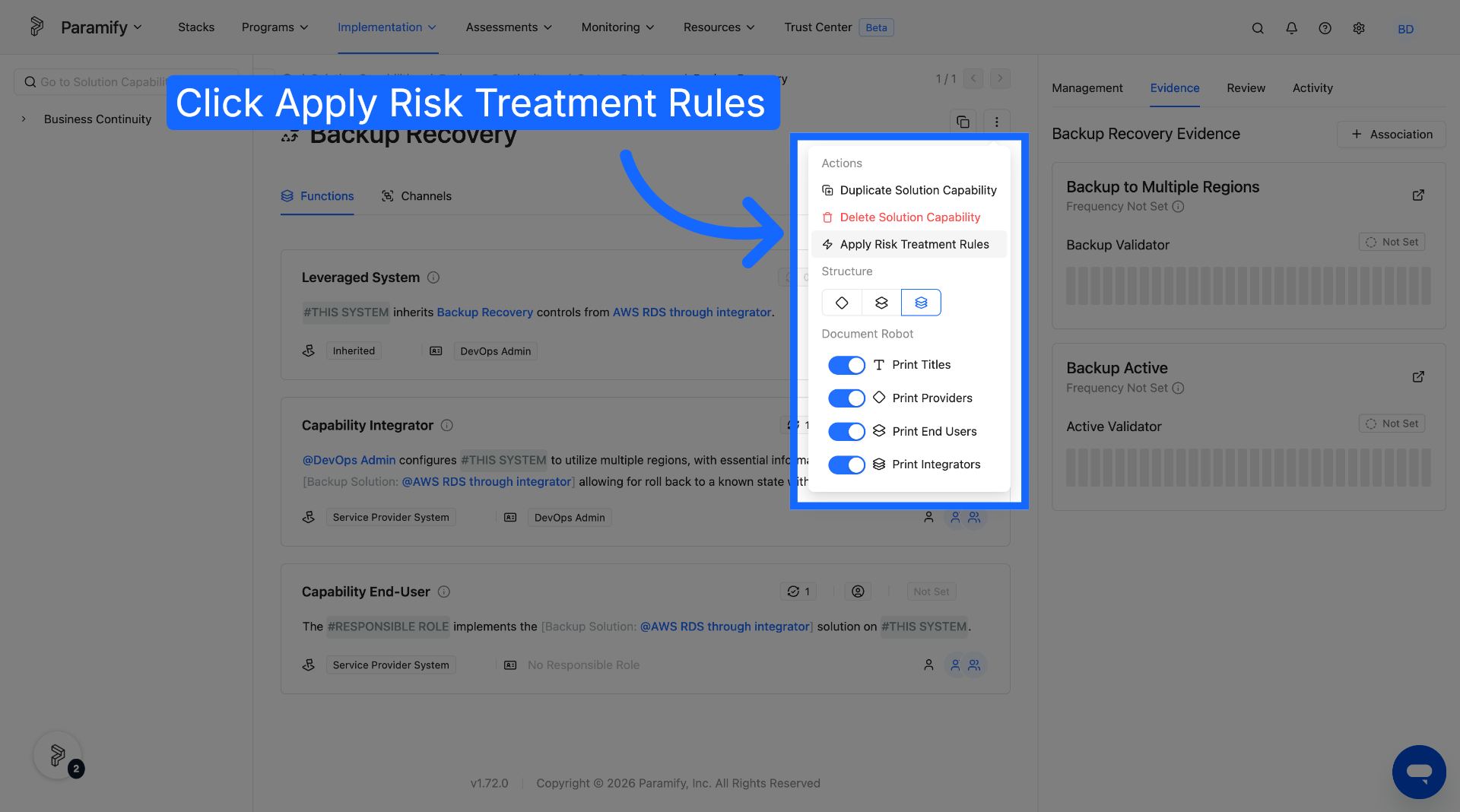
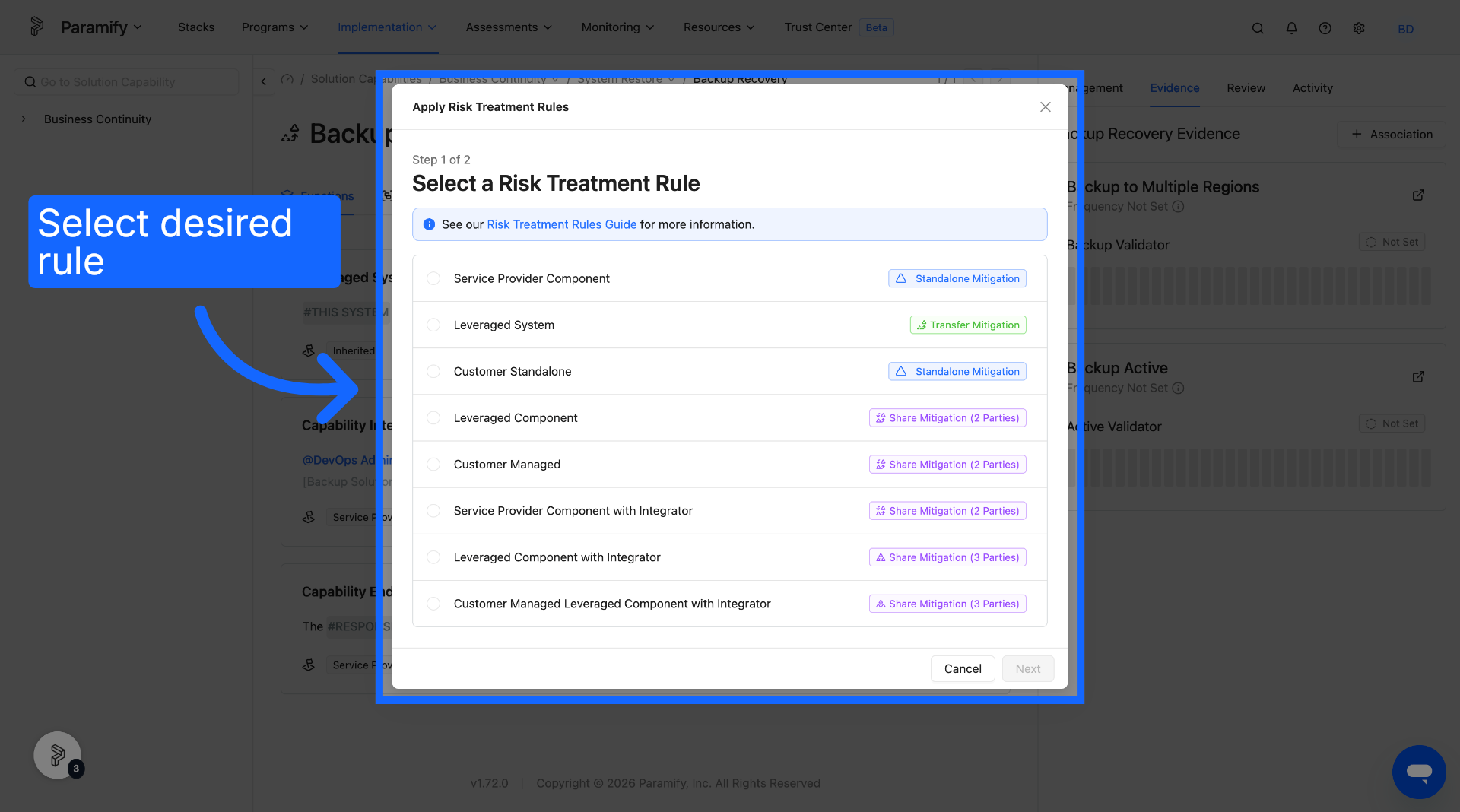
3. Choose Risk Treatment Rule
Select the desired risk treatment rule from the list of rule options.
4. Select Main Component Settings
After selecting the risk treatment rule and clicking "Next", various main component settings will need to be set. These are based on the specific risk treatment rule specified.
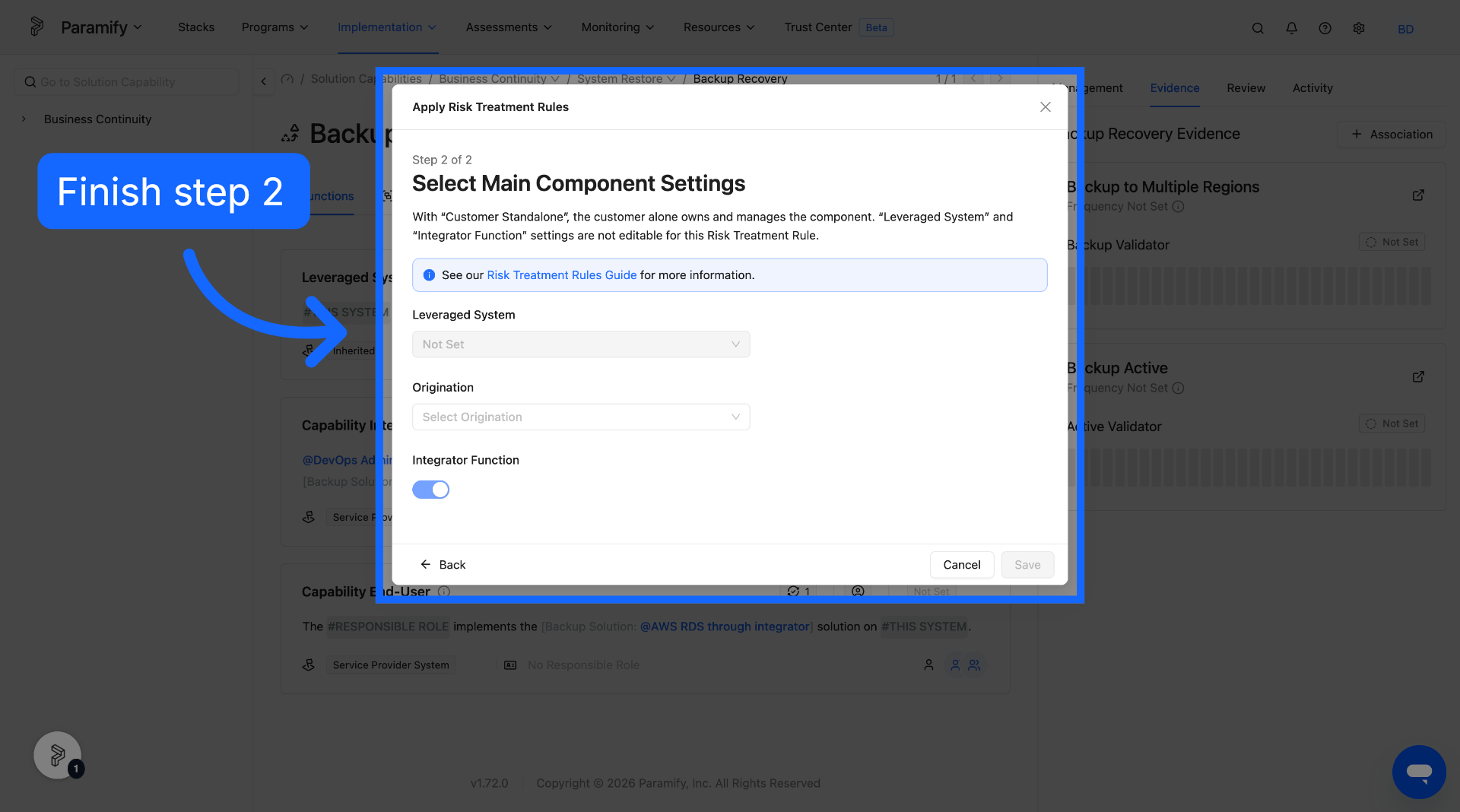
Once all necessary main component settings have been set, select save. The risk treatment rule will then be applied accordingly to the solution capability.
Comments
0 comments
Please sign in to leave a comment.