
Within Paramify, comments and remarks can be made in various places. There is an important distinction between remarks and comments within an issue (found under Monitoring > Issues). When adding remarks in an issue, it is crucial to understand that all remarks will be added to the FedRAMP POA&M document in column Z as "comments." When adding comments within Paramify, all comments will remain internal and will not appear anywhere in the FedRAMP POA&M document.
1. Add remarks
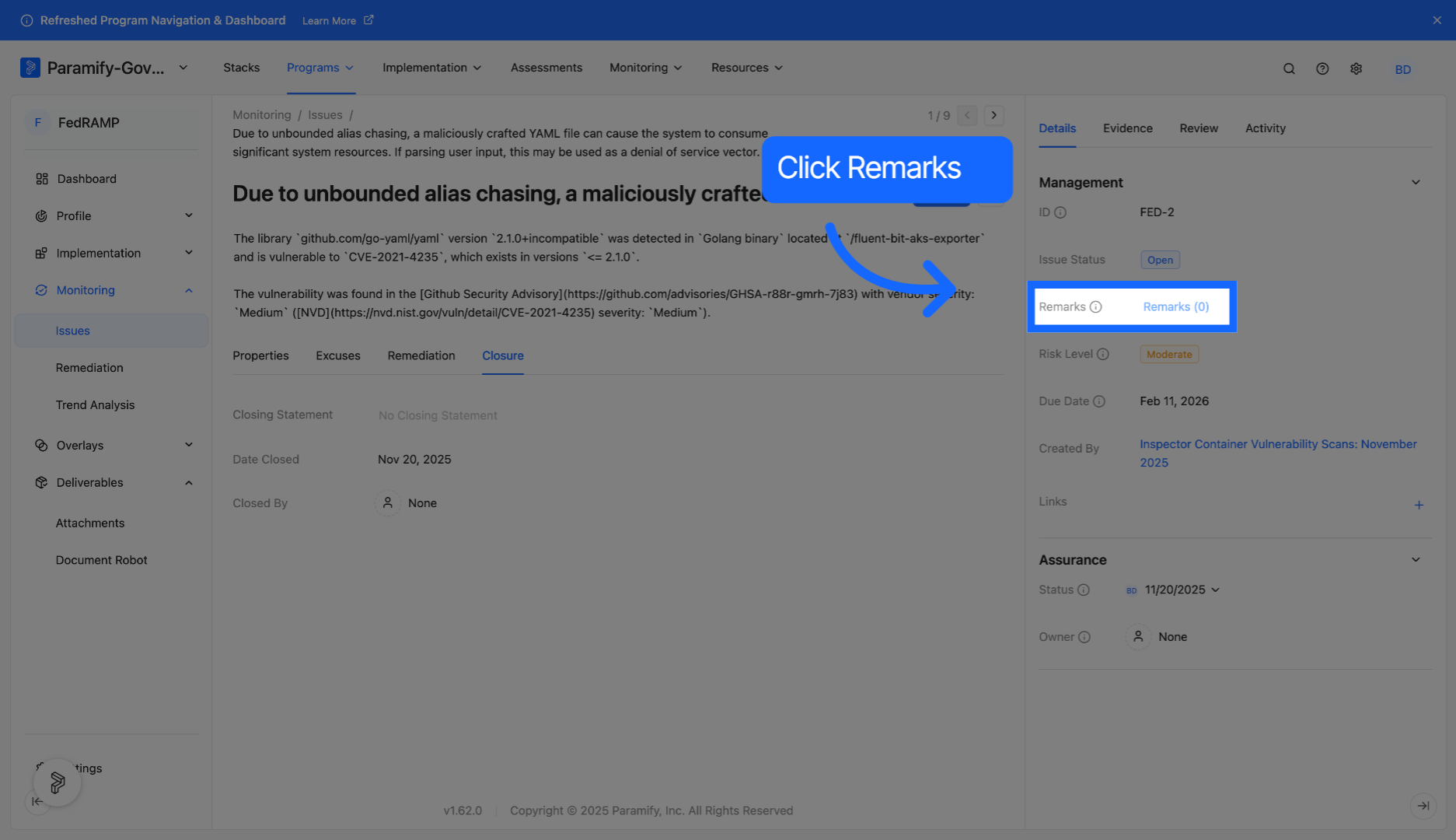
Within an issue, under the Details tab, click "Remarks" to begin adding a remark.
2. Enter remarks
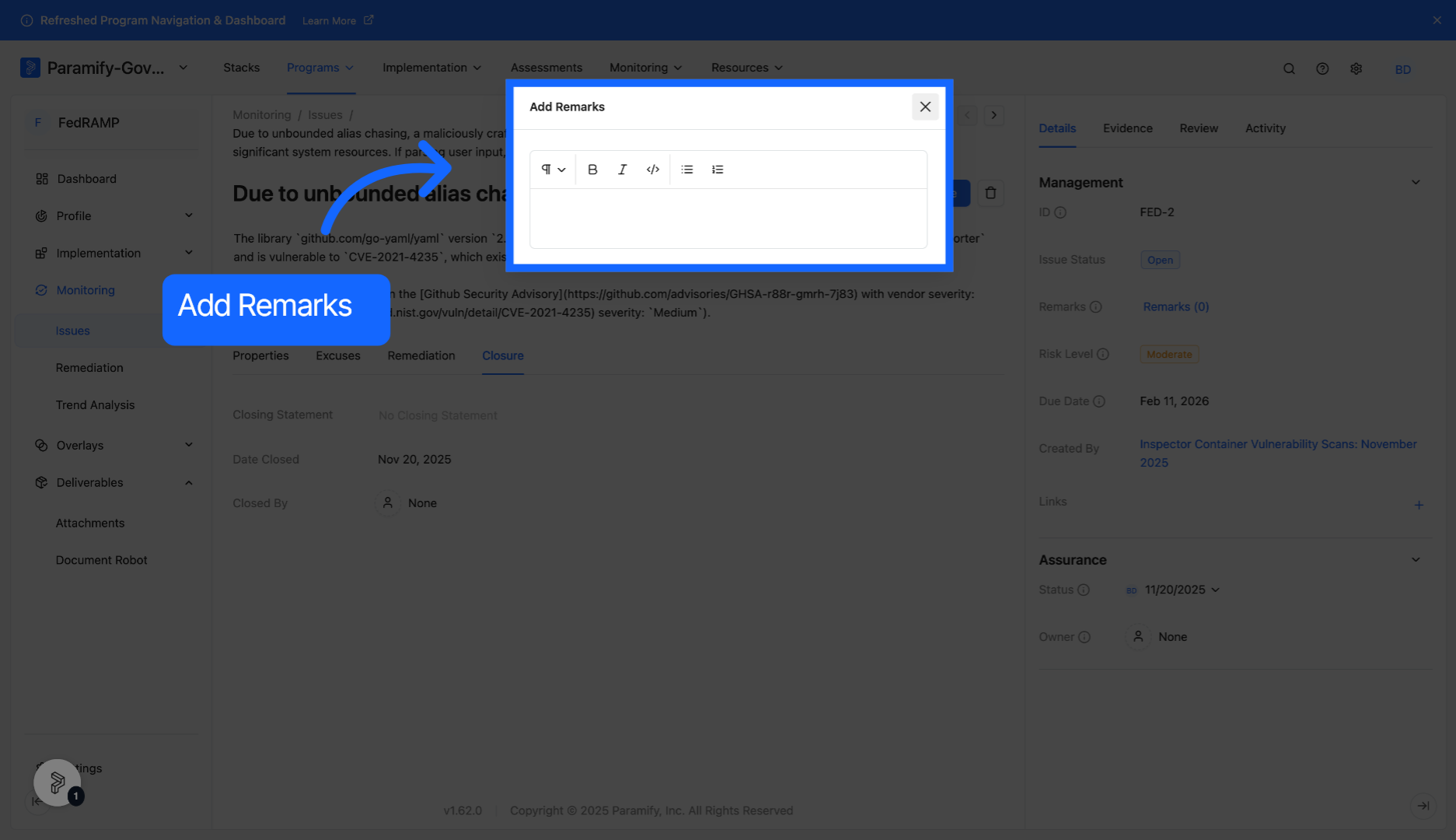
Enter your remark into the textbox.
3. Add comments
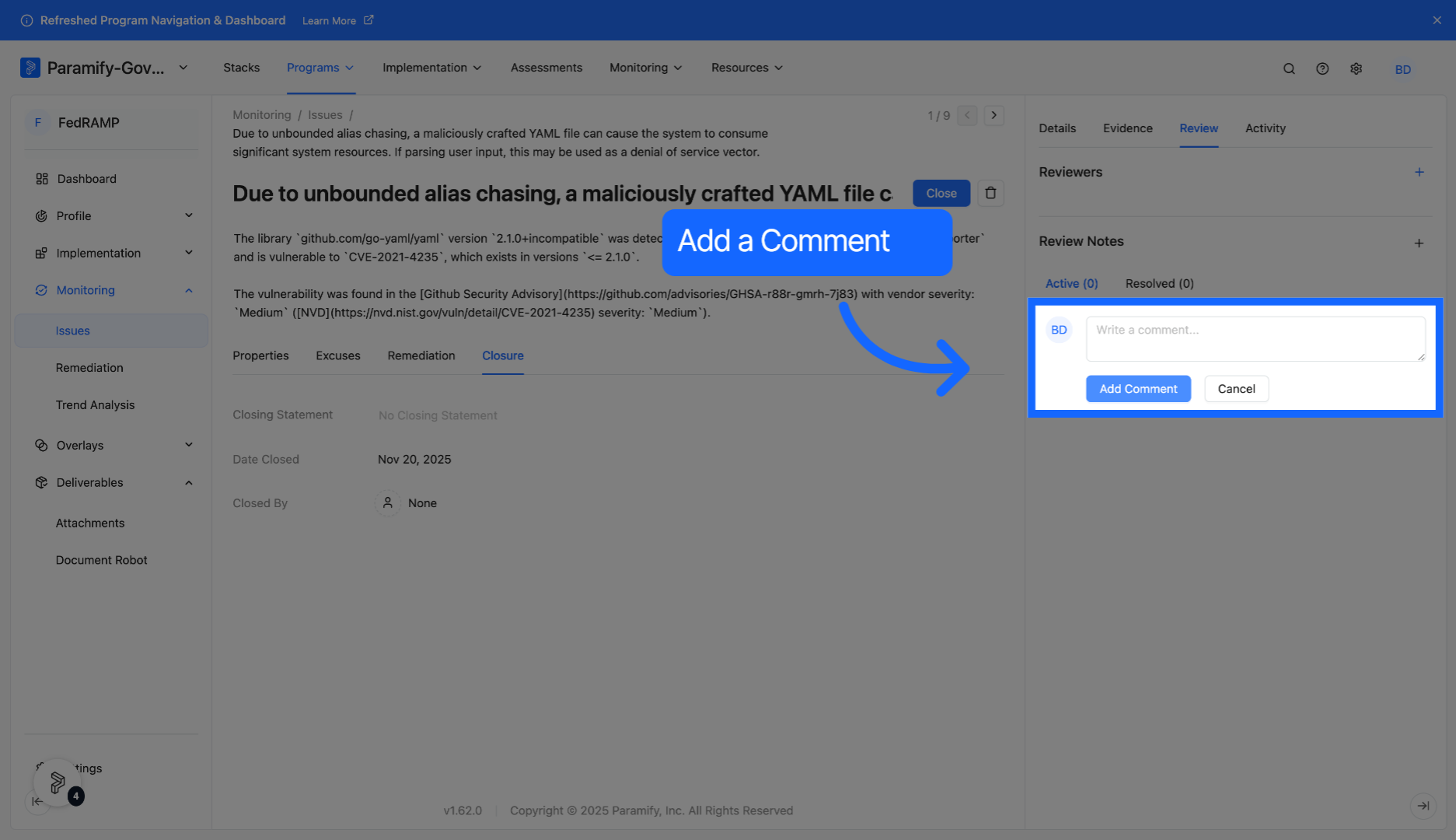
Within an issue, under the Review and Activity tabs, enter your comment into the textbox and click "Add Comment."
You have successfully added remarks and comments in an issue.
Comments
0 comments
Please sign in to leave a comment.