
Reviewers can be assigned to the following in Paramify:
- Elements
- Risk Solutions
- Solution Capabilities
- Control Implementation
- Issues
- Remediation Activities
- Validators
The process for assigning reviewers is the same across the Paramify platform. A guide to assigning reviewers is featured below.
Assign Reviewers
Click the Review button to add a reviewer.
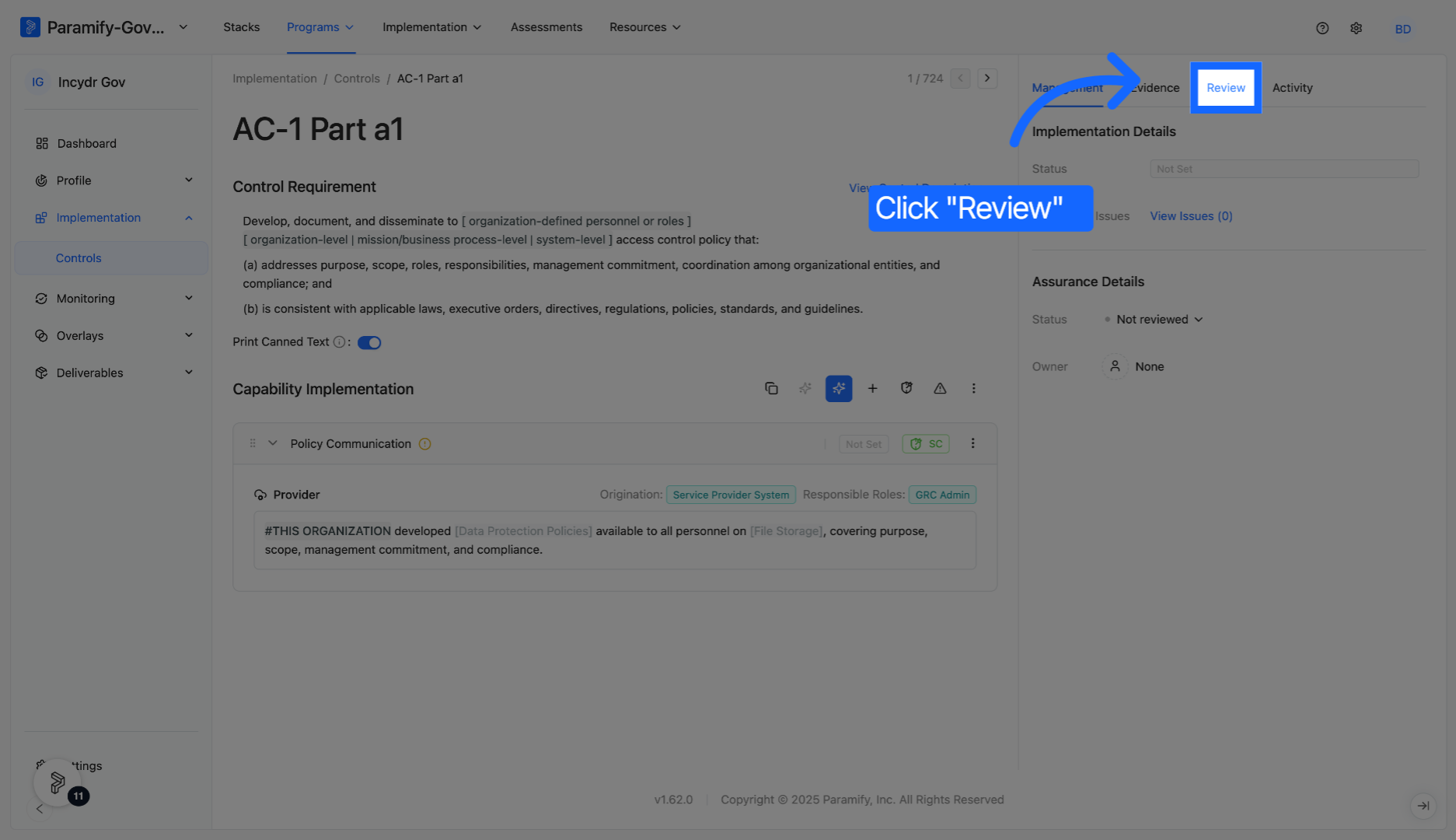
Select the '+' to add a reviewer to the control.
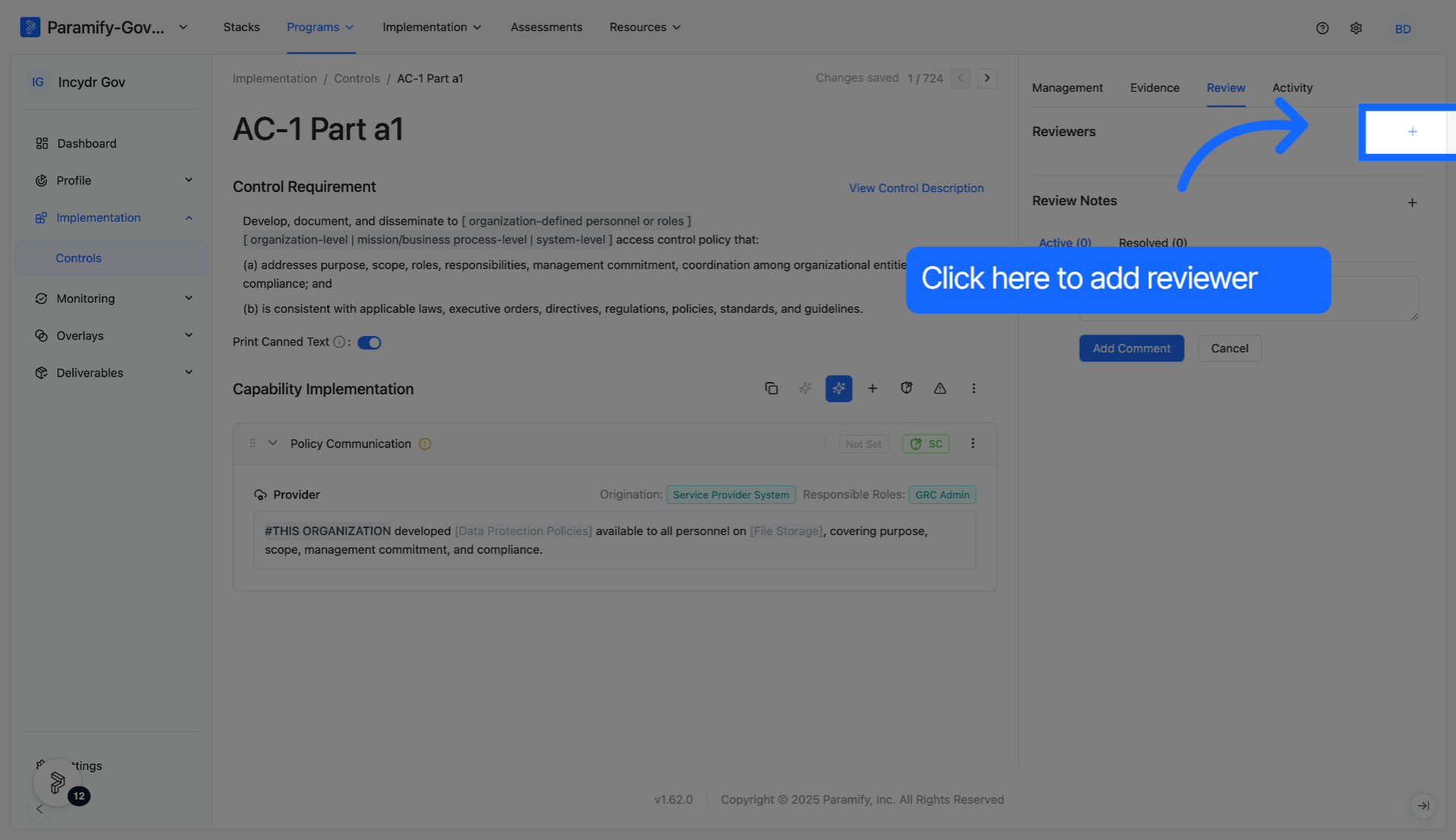
Select a reviewer from the list.
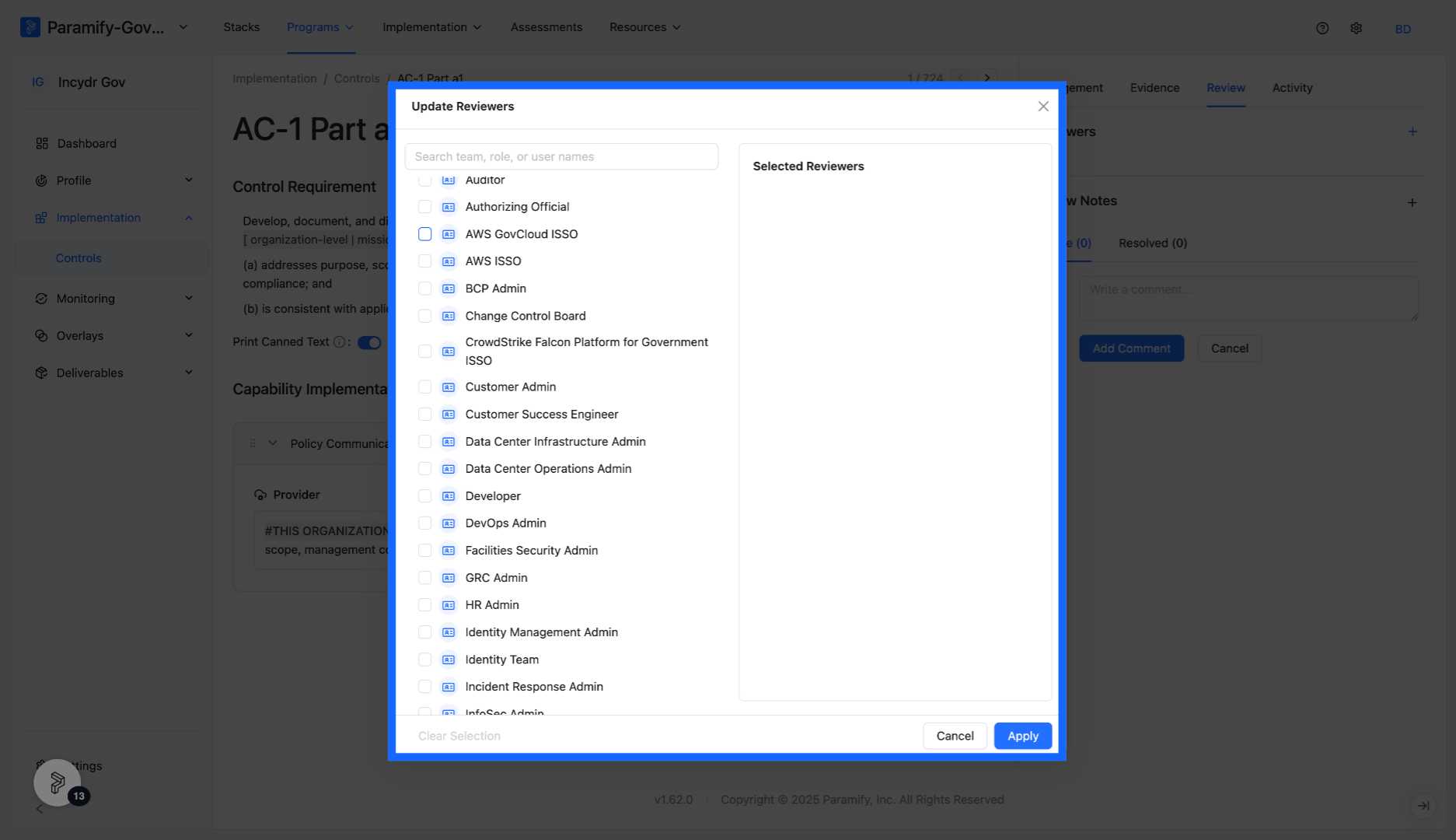
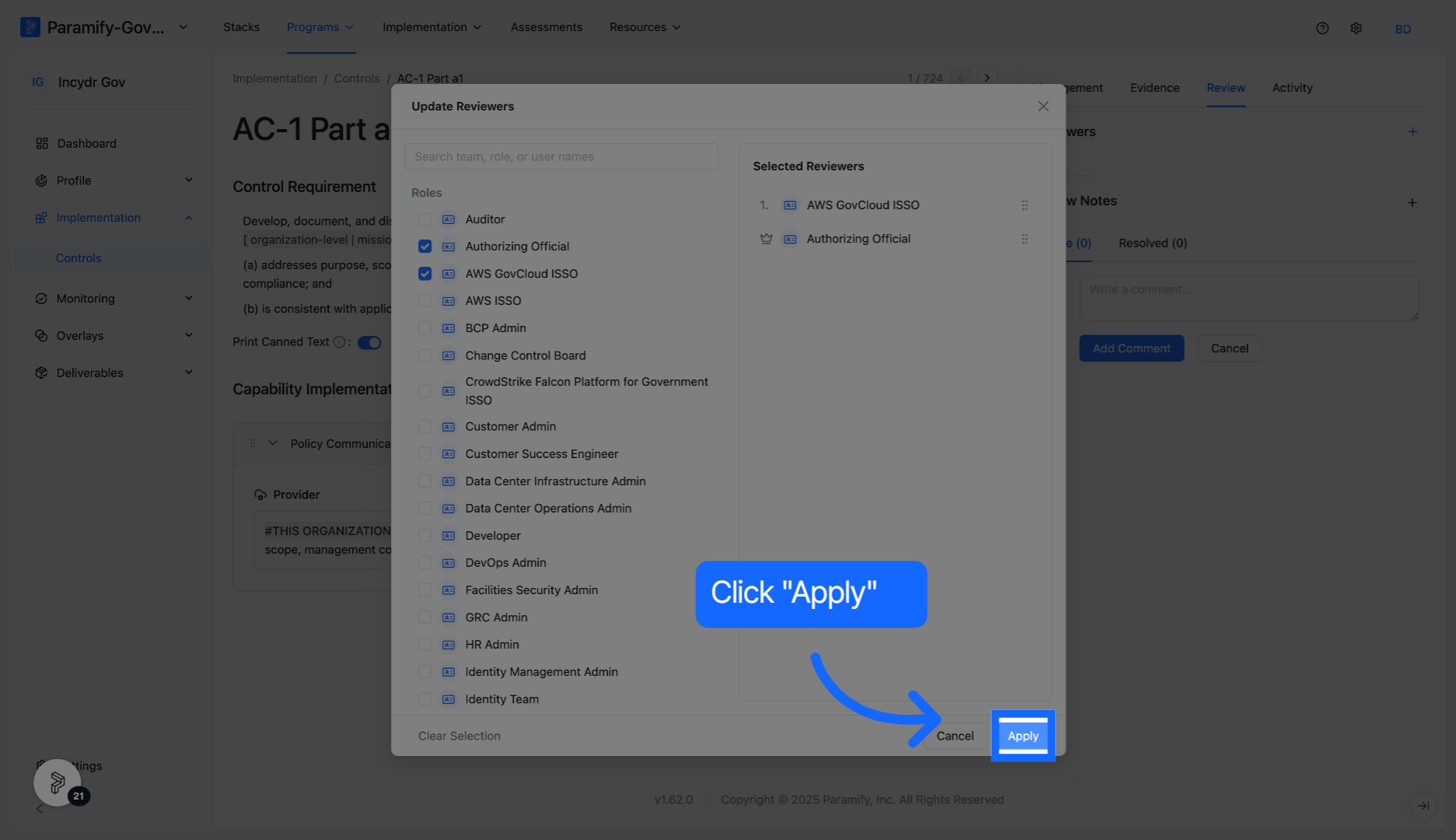
Multiple reviewers can be added if desired. The order of selected reviewers can also be altered.
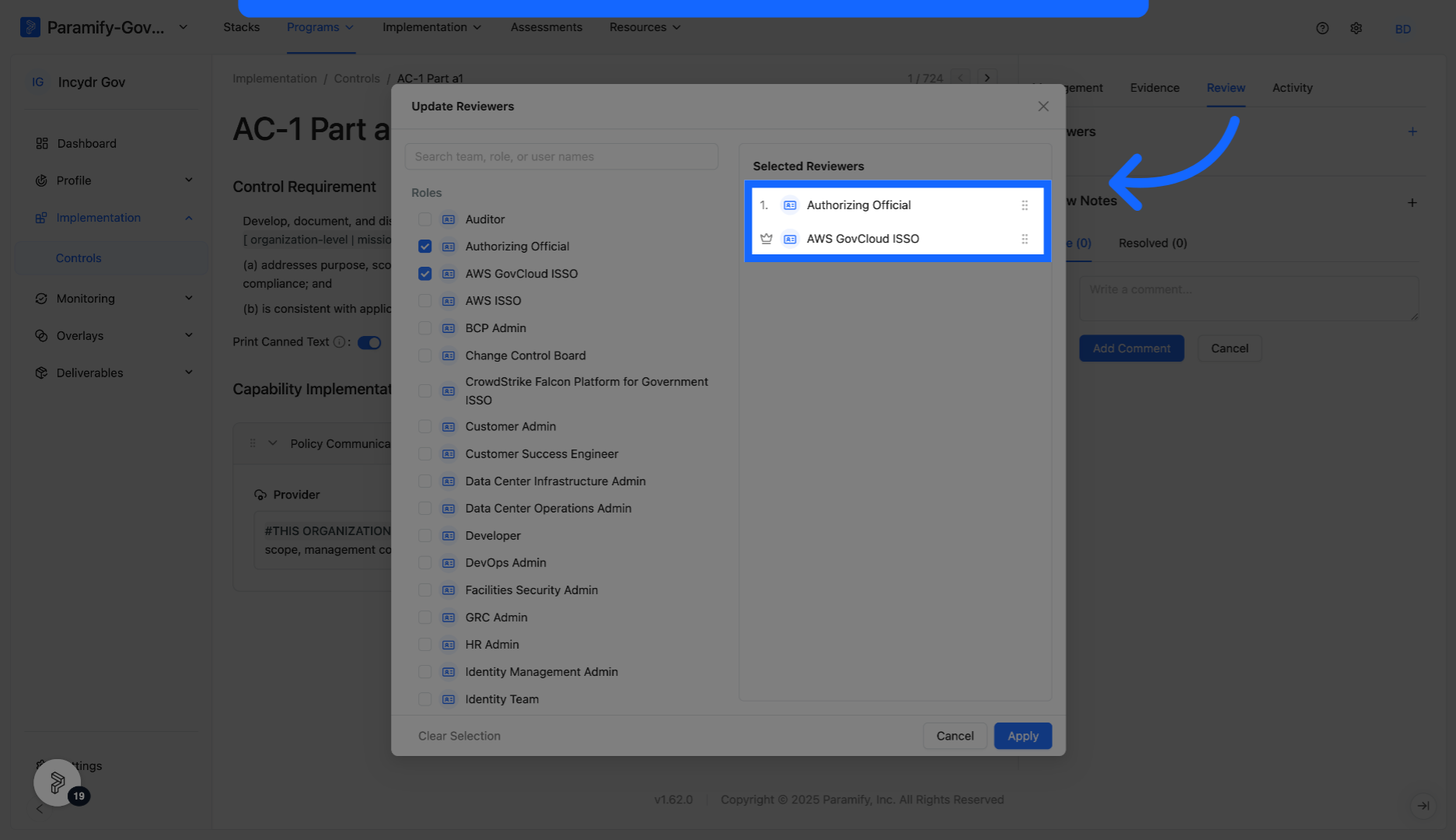
Click the Apply button to save and implement your selected reviewers.
Congratulations! You have now added a reviewer in Paramify.
Solution Capabilities Dashboard
The Solution Capabilities Dashboard can be found at Implementation > Dashboard. The dashboard metrics are generated by information from the Assurance Details section of the Management tab.
Changing information in the Review tab will not affect the Overall Reviewed metric in the dashboard. Information for that metric is derived from the Assurance Details Review Status. Changing the review status of all Solution Capabilities will result in the Overall Reviewed chart to go to 100%.
The Solution Capabilities Dashboard provides a variety of helpful metrics as users track progress of solutions and solution capabilities.
Comments
0 comments
Please sign in to leave a comment.