
Overview
Paramify's Document Robot collates metadata and other program details to document your System Security Plan including a detailed table of contents.
NOTE
Documents require Microsoft Word to format appropriately. When opening the Word document, prompts may appear that will determine if all the content in Paramify will be updated in the document. Click "Yes" and/or "Update entire table" to update the fields in the document. For more information, see Most Common Reasons Document Robot Deliverables are Incomplete.
Creating a new revision
Navigate to the Document Robot page within your Program by accessing Deliverables > Document Robot.
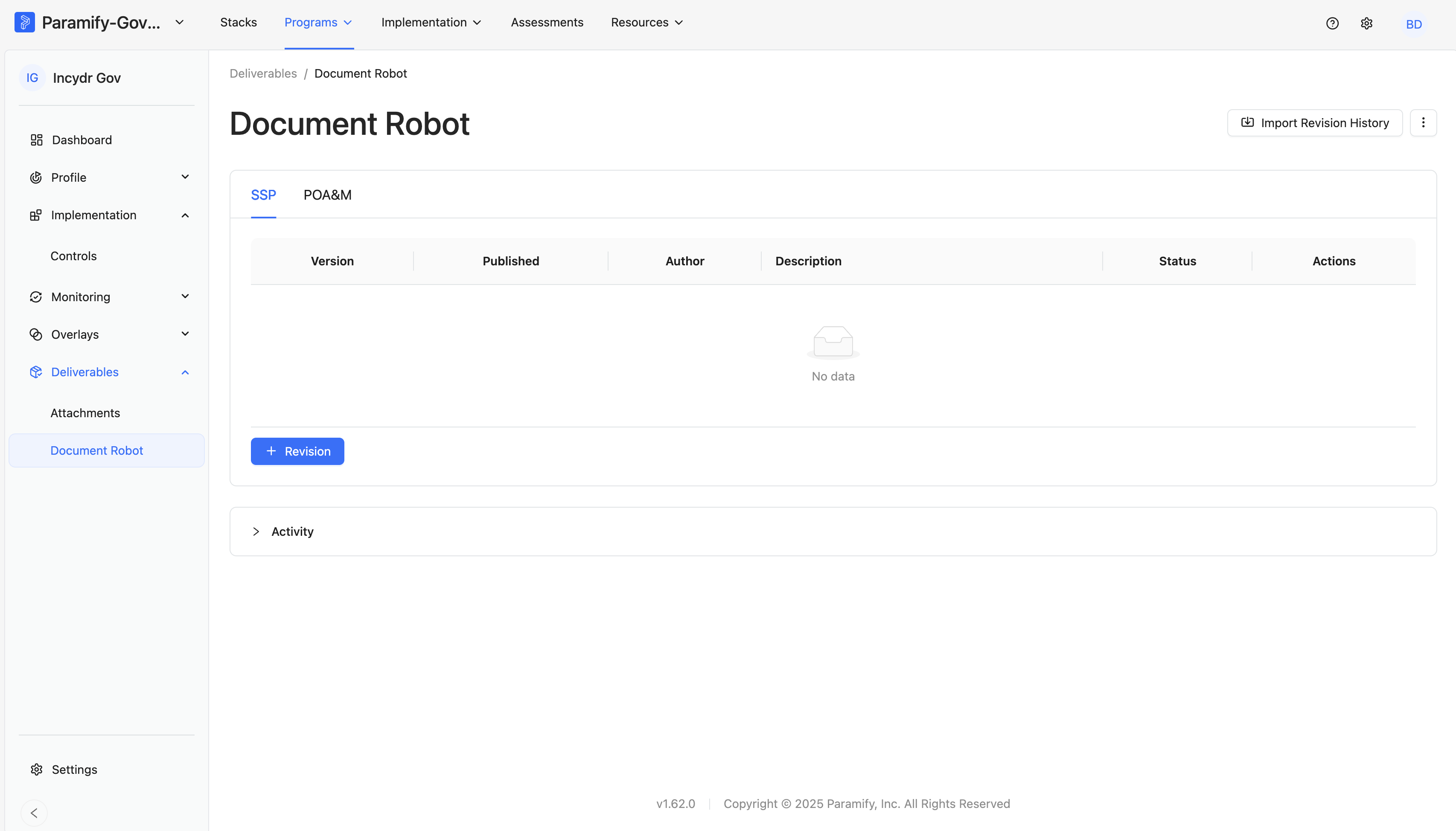
A new revision of your document package can be created quickly, efficiently, and seamlessly within the Document Robot by performing the following steps:
- Click the 'Document Robot' tab in the 'Deliverables' menu
- Click on 'Add Revision'.
- Define a version.
- Provide a description.
- Specify an Author (choose a party element from your library).
- Set a date (default is the current date).
- Click 'Save'.
Once the package is ready, you can download the zip file by clicking on the 'Download' button. This zip file will contain the OSCAL SSP along with all other program documents.
Importing revision history
A historical SSP revision history prior to automating your SSP in Paramify can be imported as follows in Document Robot to ensure a complete revision history is captured in your Paramify generated documents:
- Create a CSV with the revision history using the format shown in the table below
- Click "Import Revision History"
- Click "Choose File..." and select the CSV revision history file
- Click "Submit"
The imported revision history will appear in the Document Robot page. Refresh the page if the revision history doesn't appear right away.
CSV Format to "Import Revision History"
| Date | Description | Version | Author |
|---|---|---|---|
| 1/2/2020 | First Draft | 1.0.0 | Author Name |
NOTE
Deliverables are not available for download for the revisions imported because the historical packages are not stored in Paramify.
Example Deliverables produced by Document Robot
Deliverables produced by Document Robot is determined by the program setup and attachment configurations. Here are a few examples of what you can generate using Document Robot.
FedRAMP SSP Appendix A
Document Robot automatically creates Appendix A in seconds, presenting the information in a clear, well-organized manner. Examples can be seen in the following video:
CIS and CRM Automation
In Paramify, Document Robot automates CIS and CRM matrixes in alignment with your SSP template, reducing the effort previously spent ticking and tying documents for consistency.
OSCAL Deliverables
Document Robot streamlines adopting OSCAL - the Open Security Controls Assessment Language by NIST. This is crucial for automating information security design, audit, and reporting. In no time, it automates your OSCAL package, digitally formatting every component for optimal efficiency. Document Robot compiles all elements into the OSCAL file to optimize efficiency in security assessment and organization.
Policies & Procedures
Paramify's Document Robot automates policy creation, organizing them in an easily navigable table of contents, tailored to your environment's requirements and parameters. Simplifying policy management, it clearly defines what needs to be done.
Paramify's Document Robot swiftly auto-generates program-specific procedures from control implementation statements, ideally sourced from your Global Solution Capability set, clearly defining roles in control implementation.
Comments
0 comments
Please sign in to leave a comment.