
ID Constructors let you define how identifiers are generated for workspace objects, such as issues, remediations, and evidence sets. Each object type can have its own ID format, built from prefixes, custom text, and a numeric Incrementor.
Open ID Constructors
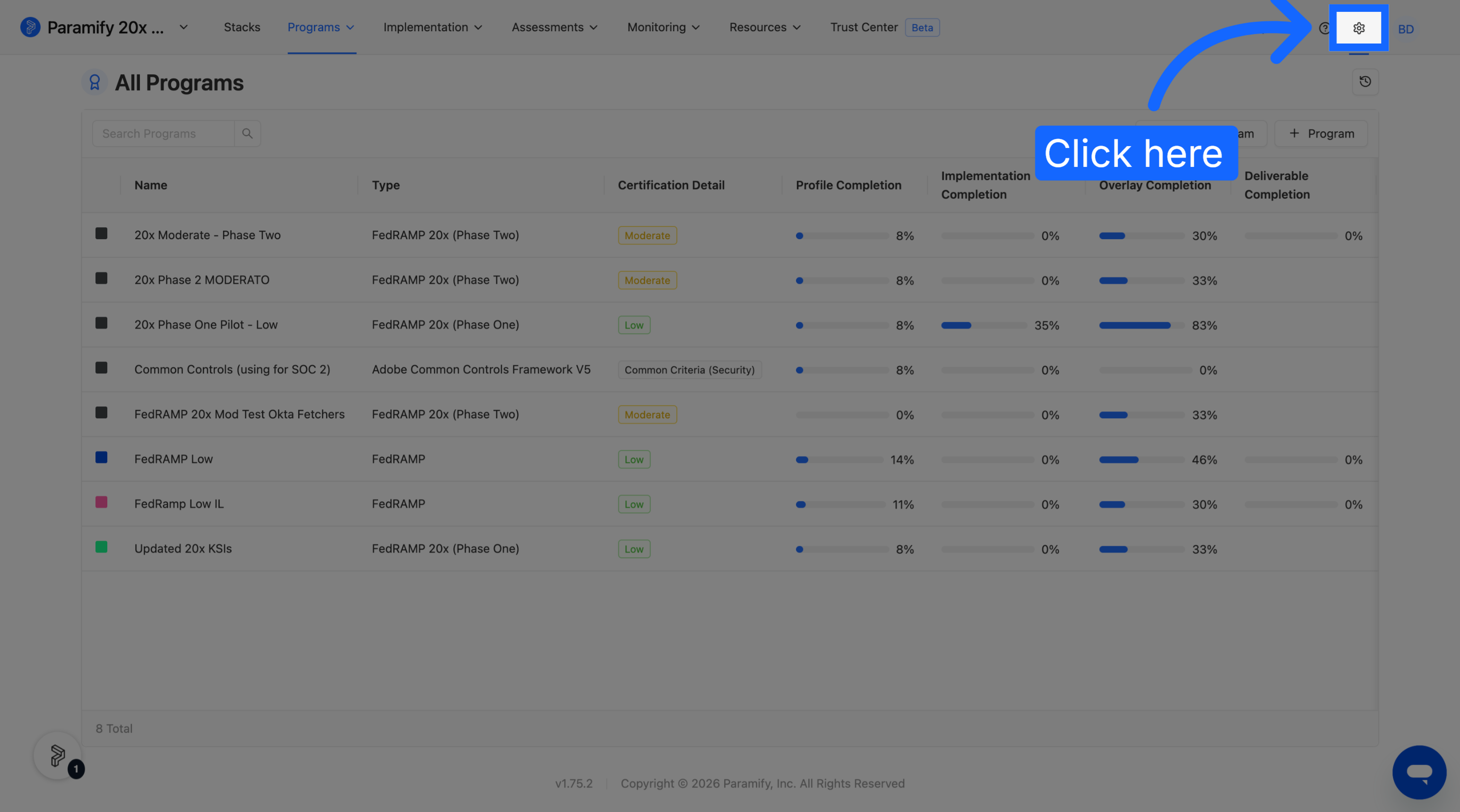
1. Go to Workspace settings
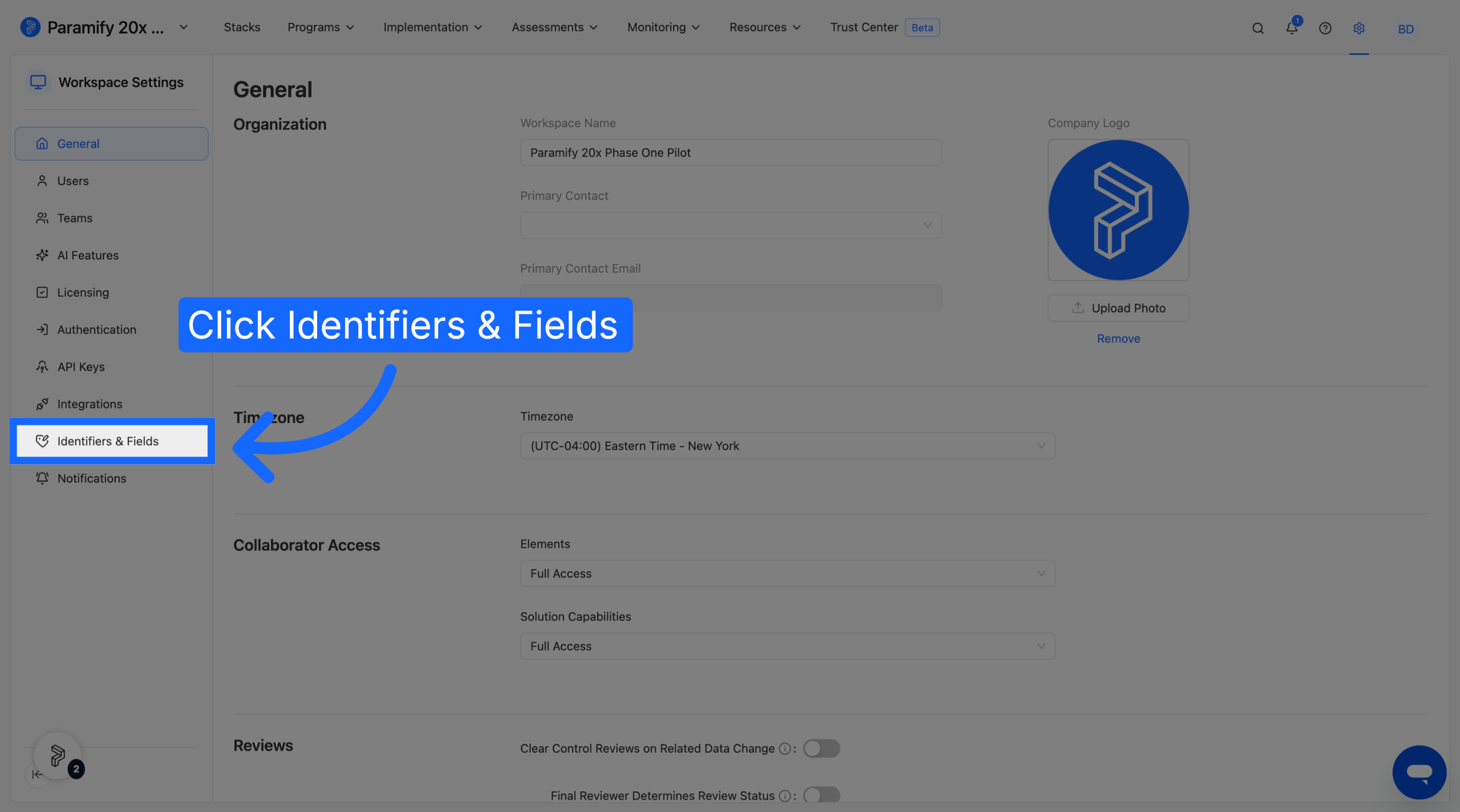
2. Select Identifiers & Fields
Set object prefixes
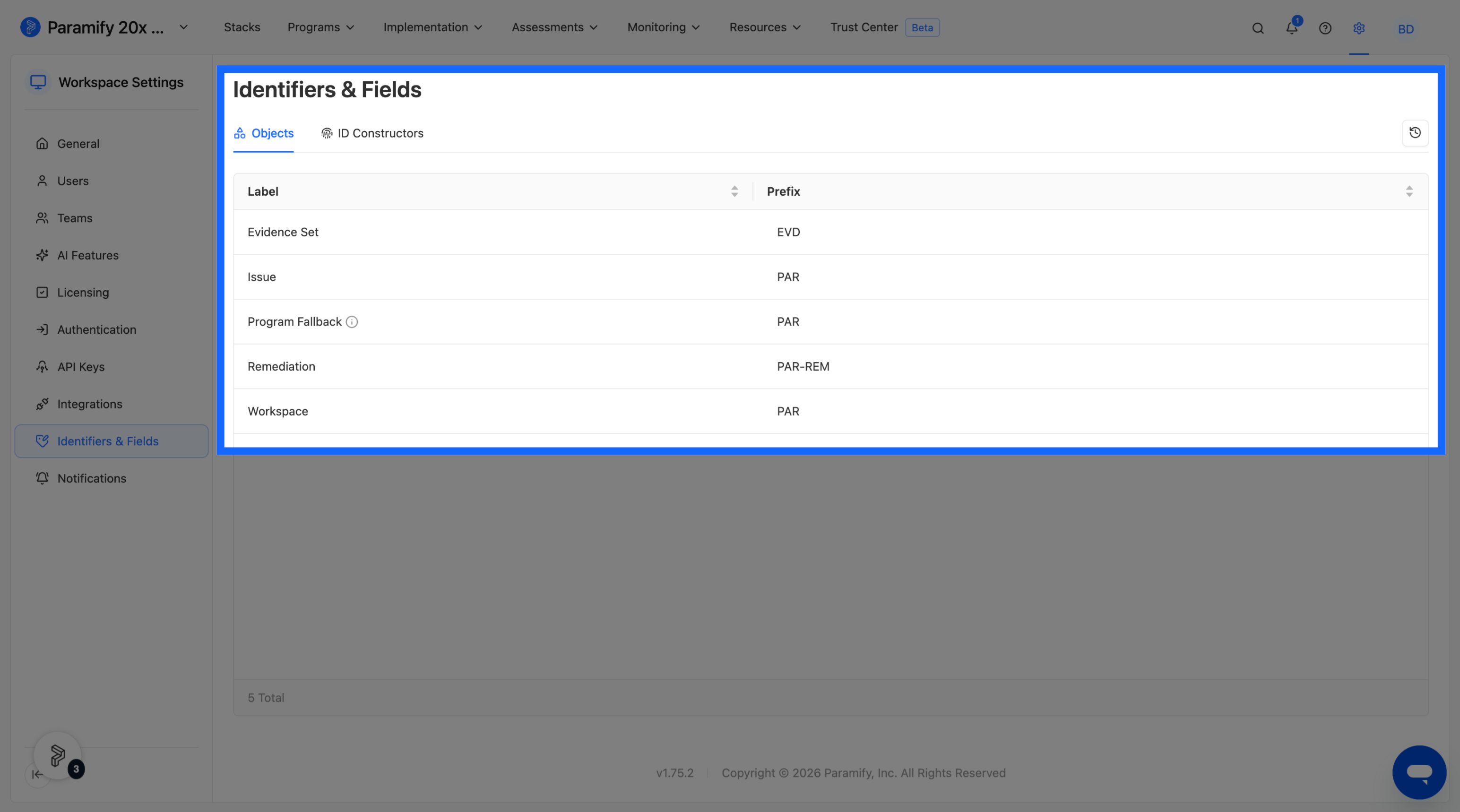
A prefix is a short code that appears at the start of an identifier.
- A prefix is required for each object.
- Empty prefixes cannot be saved.
- Existing workspaces retain their current prefixes.
For program-specific issues and remediations, use a unique Program Prefix. Each program's prefix must be unique within the workspace. The Program Prefix is set under Program Settings > Program > Program Prefix. If an object (ex. issue) is created outside of a program, the object receives the prefix specified in the Objects table above.
Build an ID format
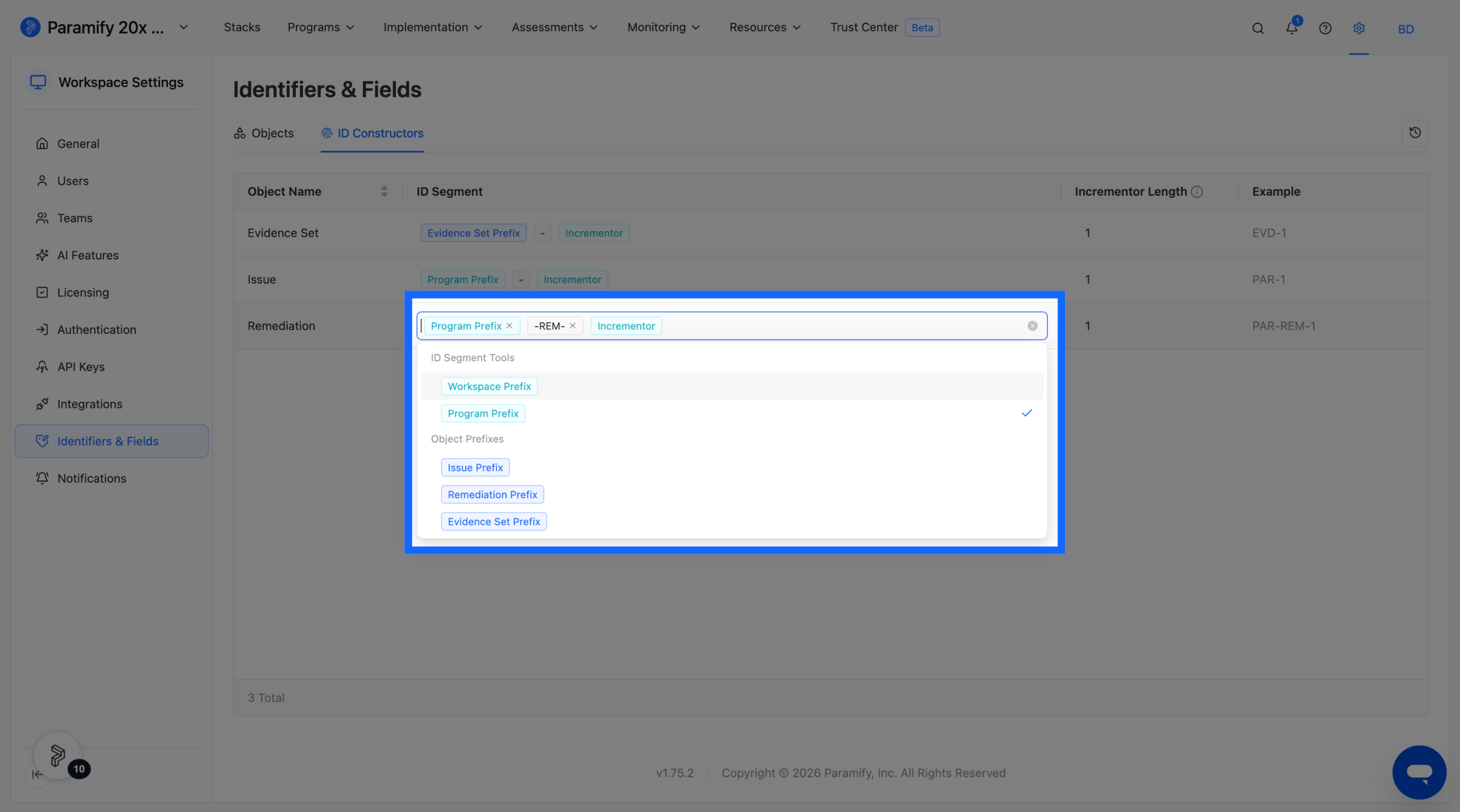
An ID Constructor combines one or more ID segments with a numeric Incrementor. Available segments include:
- Workspace Prefix
- Program Prefix, where applicable
- Custom text
You can also choose to place any custom text to place between segments and the Incrementor. The preview shows the resulting identifier format as you configure it.
EXAMPLE
A constructor using a workspace prefix, custom text, and an incrementor could produce identifiers like ACME-RISK-001.
Comments
0 comments
Please sign in to leave a comment.