
Duplicating Risk Solutions can have several advantages. If you want another Risk Solution that is similar to your existing one but want to change the Solution Capabilities associated to the Risk Solution, this is the guide to help you take that action.
How to Duplicate a Risk Solution
1 Navigate to the Risk Solutions page and select the Risk Solution you want to duplicate.
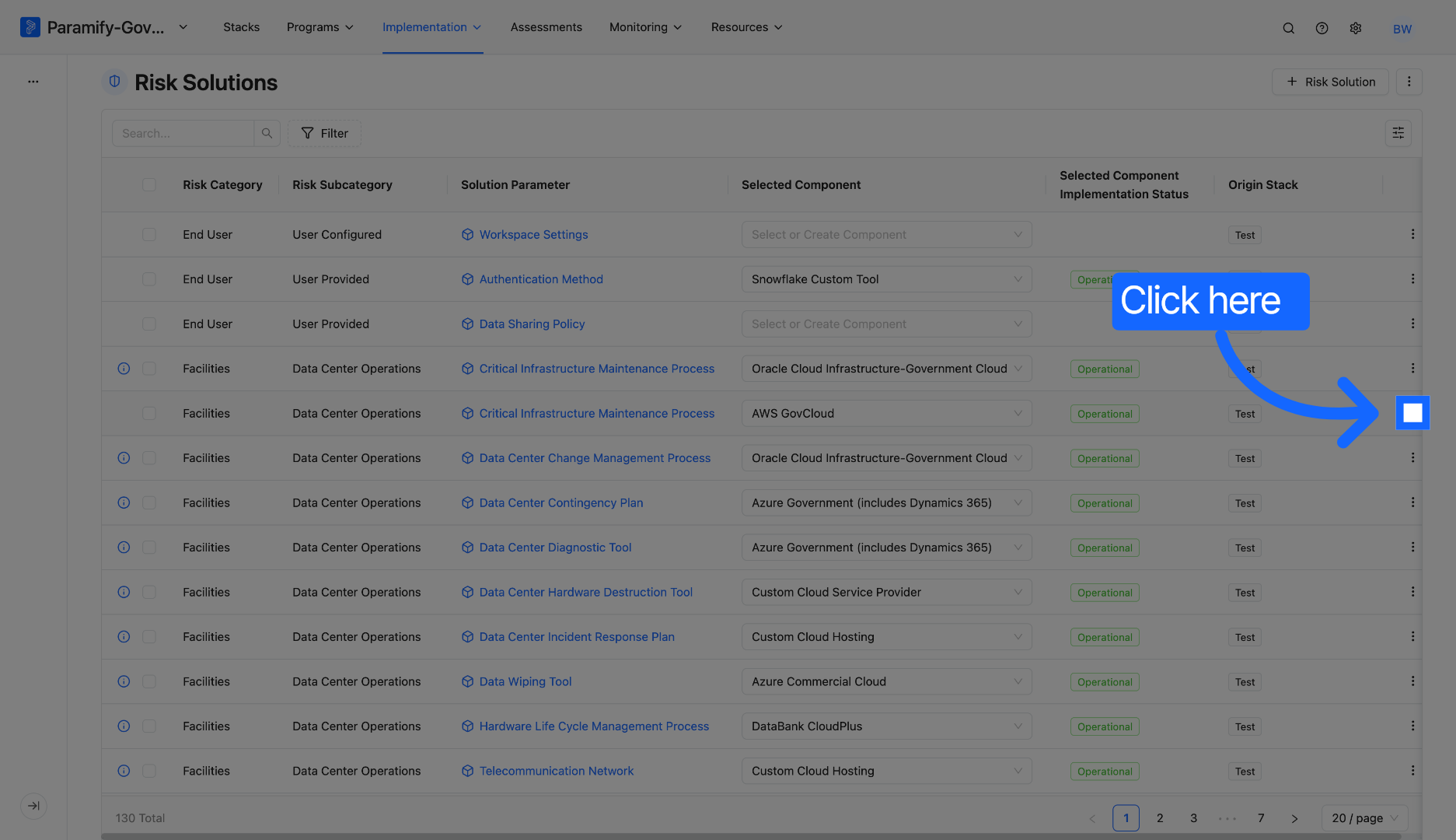
2. Open Duplication Menu: Click the three dots to open the duplication options for the Risk Solution.
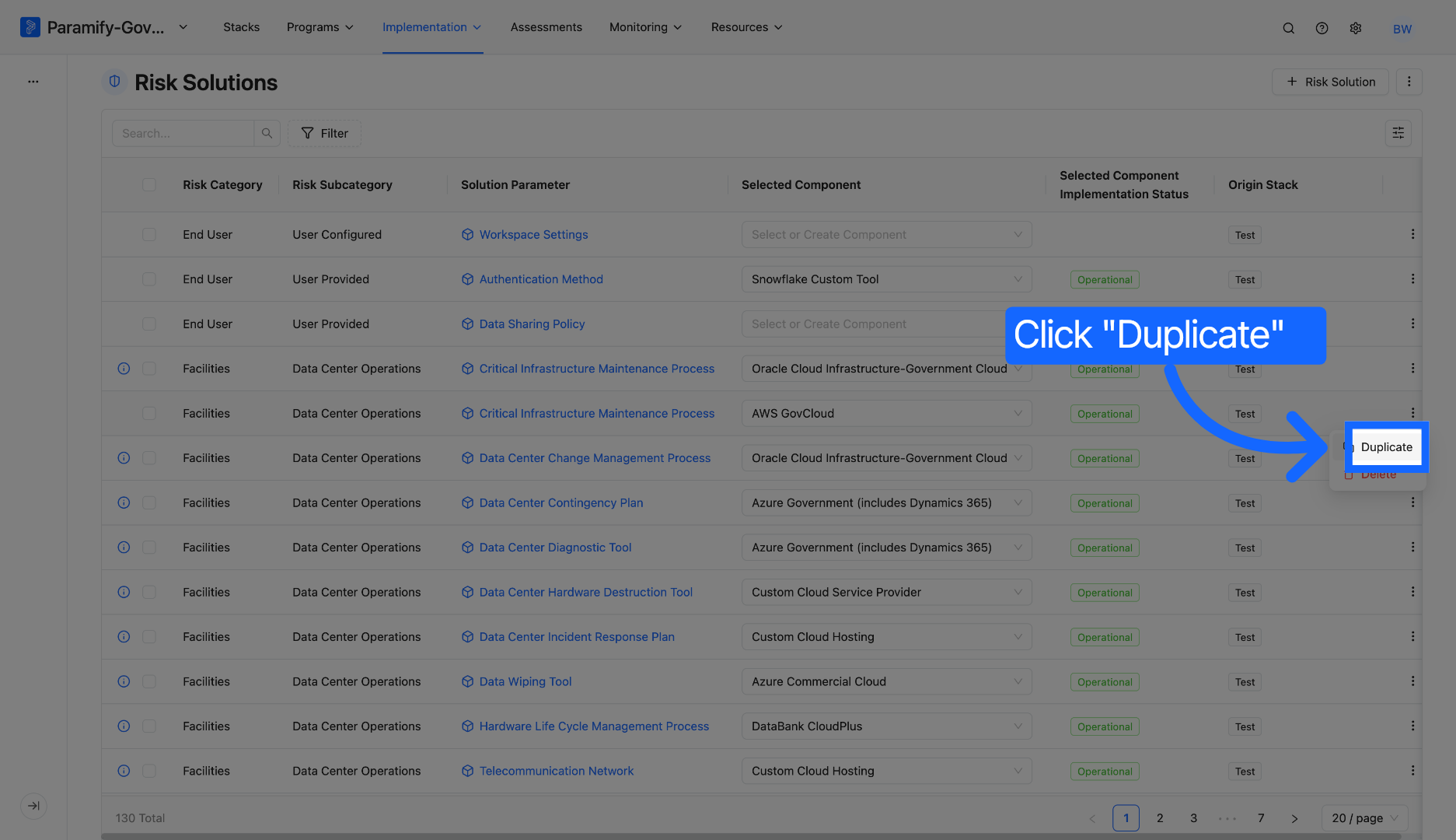
3. Select Duplicate Option: Click "Duplicate" to initiate the duplication process.
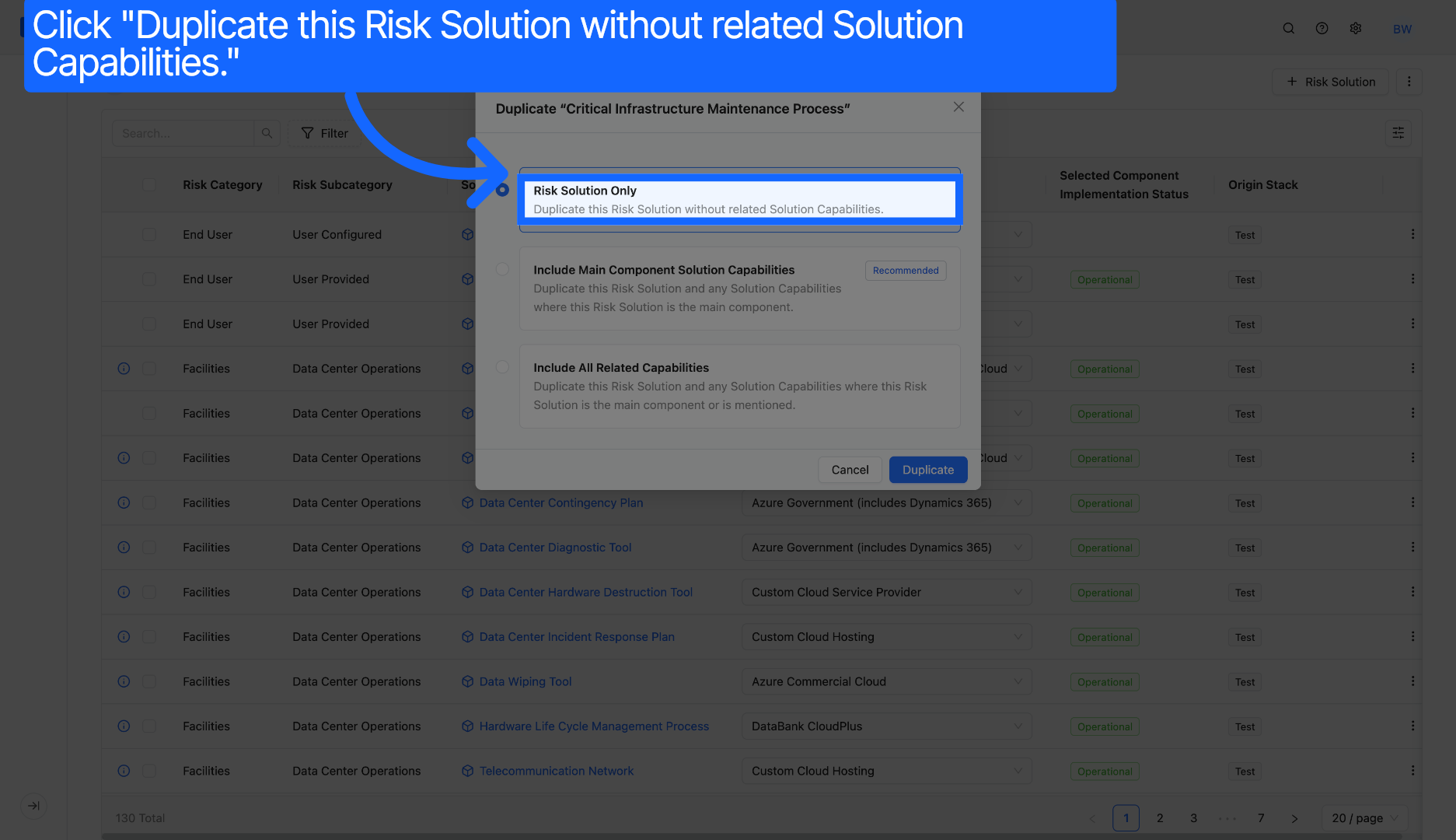
4. Risk Solutions Only: Click "Risk Solutions Only" to copy only the Risk Solution itself without any associated capabilities.
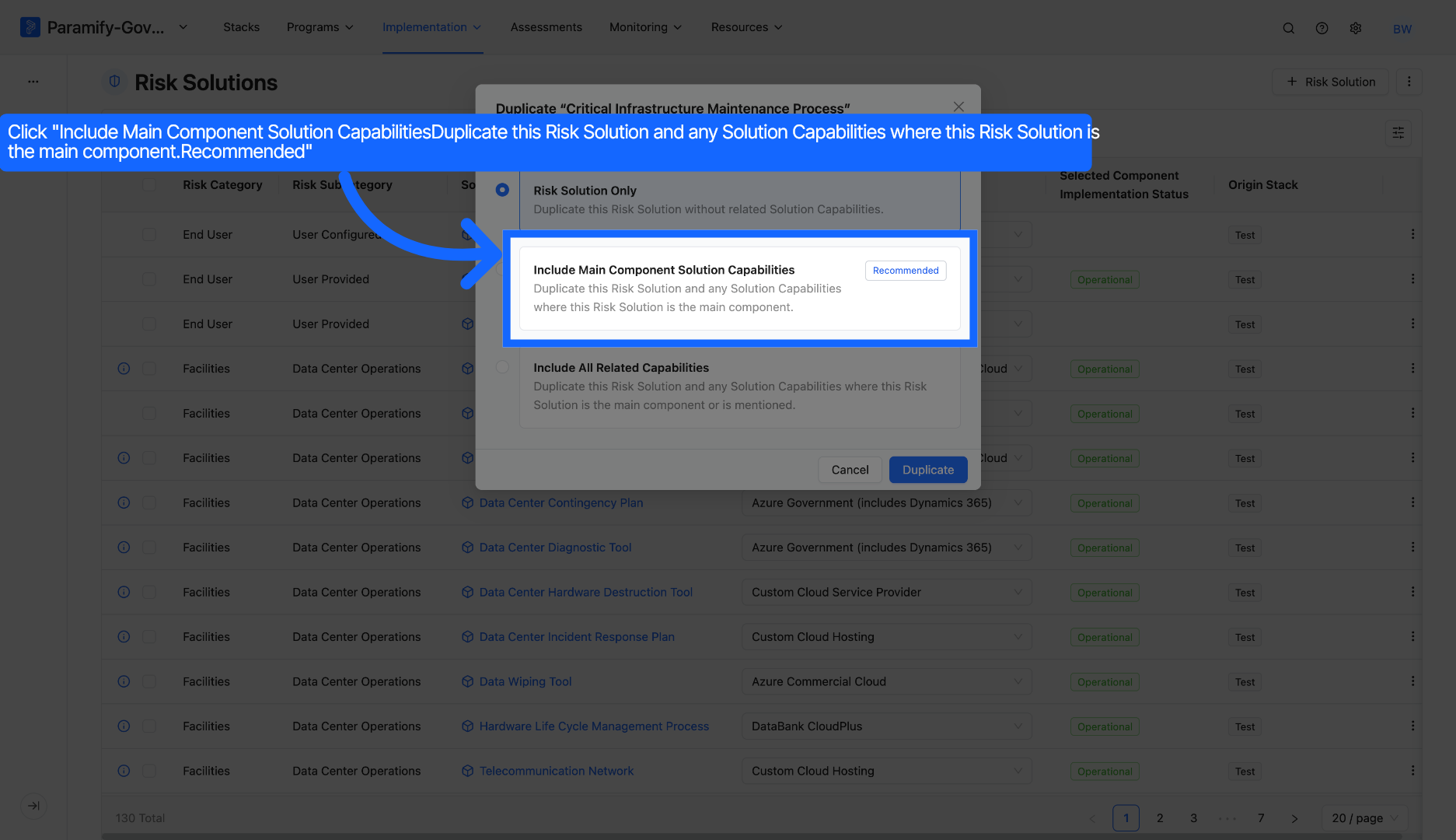
5. Include Main Component Capabilities: Click "Include Main Component Solution Capabilities" to duplicate the Risk Solution and any Solution Capabilities where the Risk Solution is the main component.
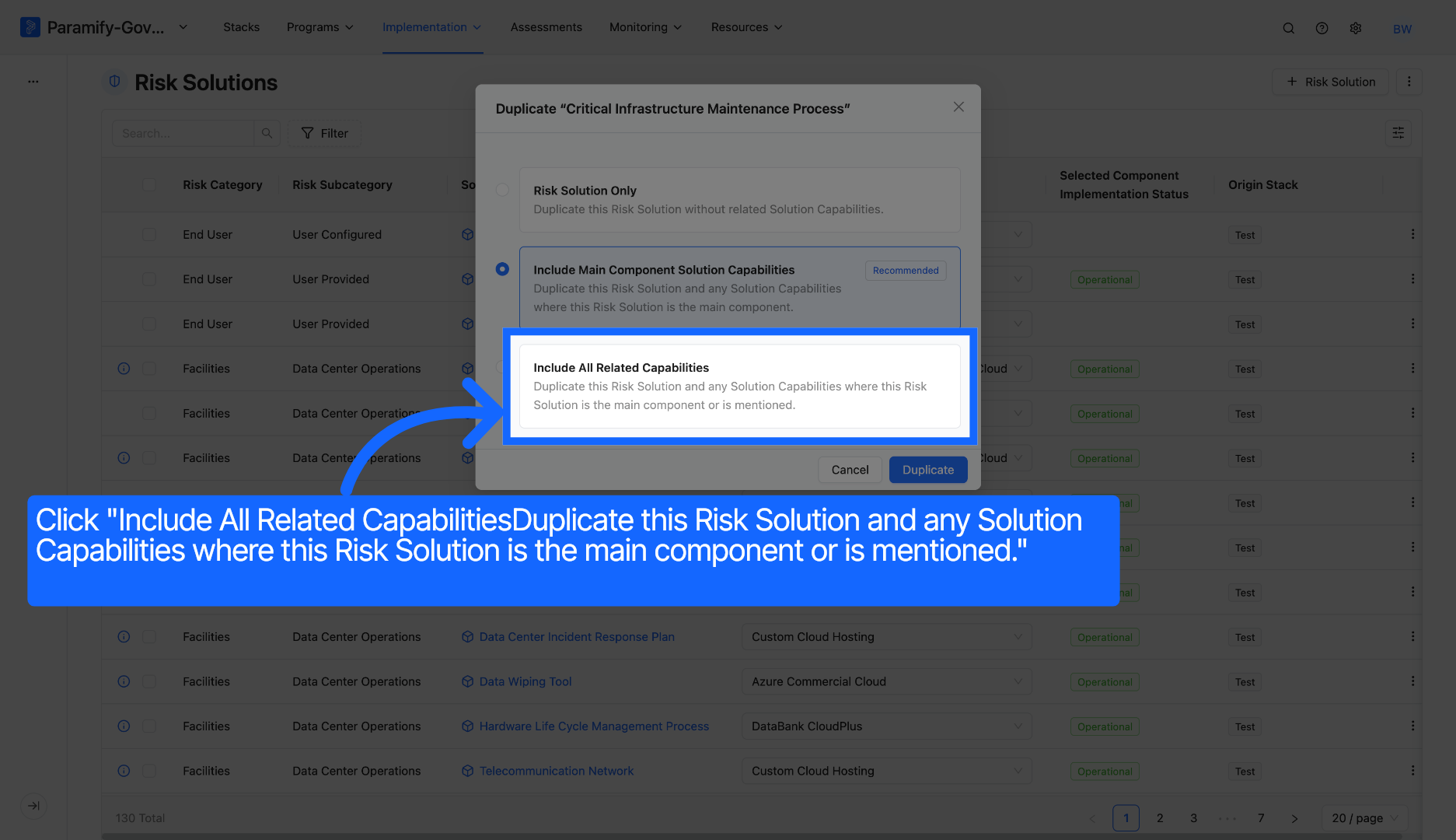
6. Include All Related Capabilities: Click "Include All Related Capabilities" to duplicate this Risk Solution and any Solution Capabilities where this Risk Solution is the main component or is mentioned.
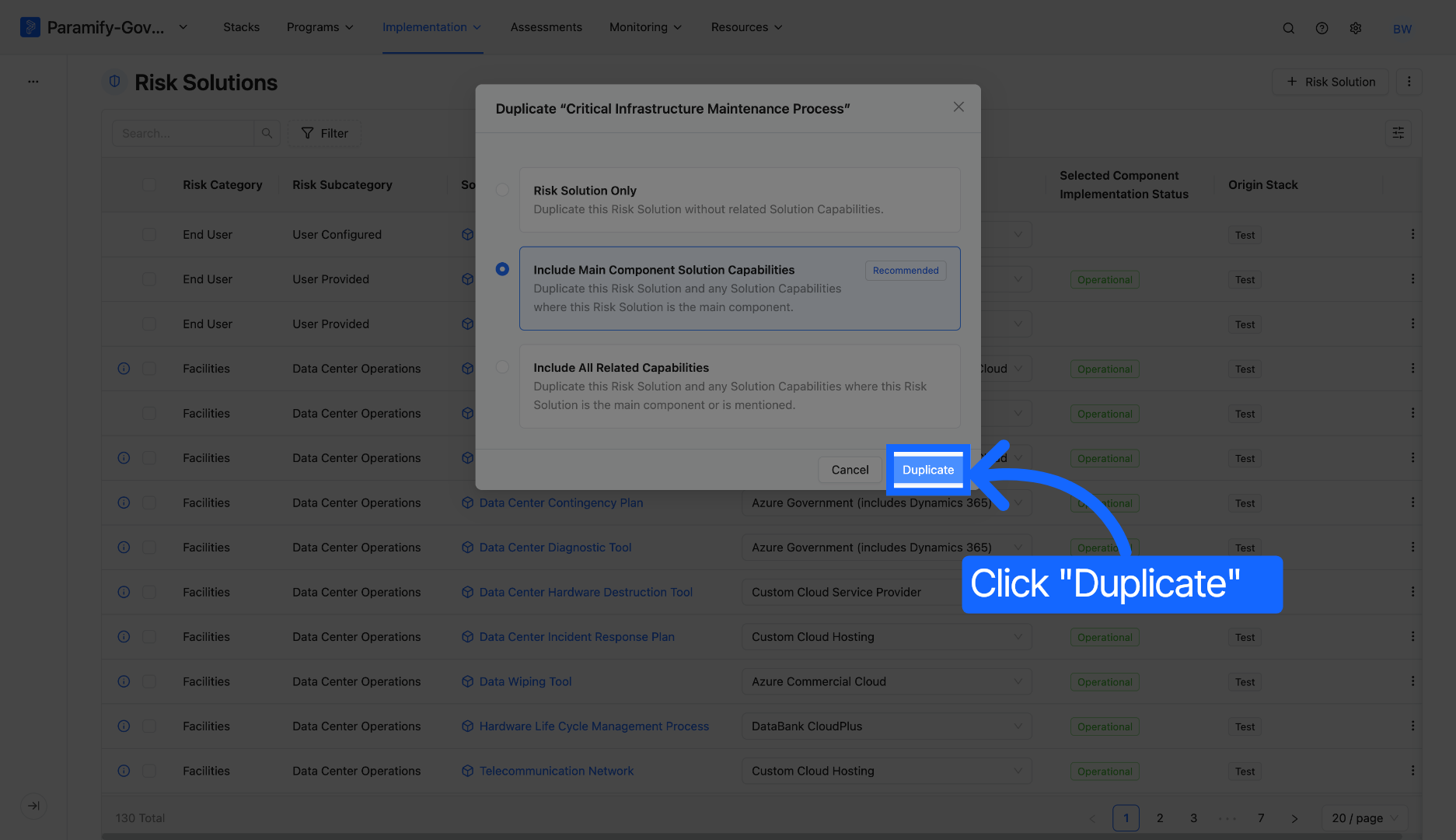
7. Confirm Duplication: Click "Duplicate" to finalize and create the duplicated Risk Solution with the selected options.
You have successfully duplicated a Risk Solution in Paramify by selecting the desired related capabilities to include. This process allows you to customize the duplication scope based on your organization's requirements.
Comments
0 comments
Please sign in to leave a comment.