
1. Introduction
This tutorial explains how to configure data types within your Paramify programs. Setting data types for a program is a crucial first step. Navigate to the Data Types page within your program by accessing Profile > Data Types.
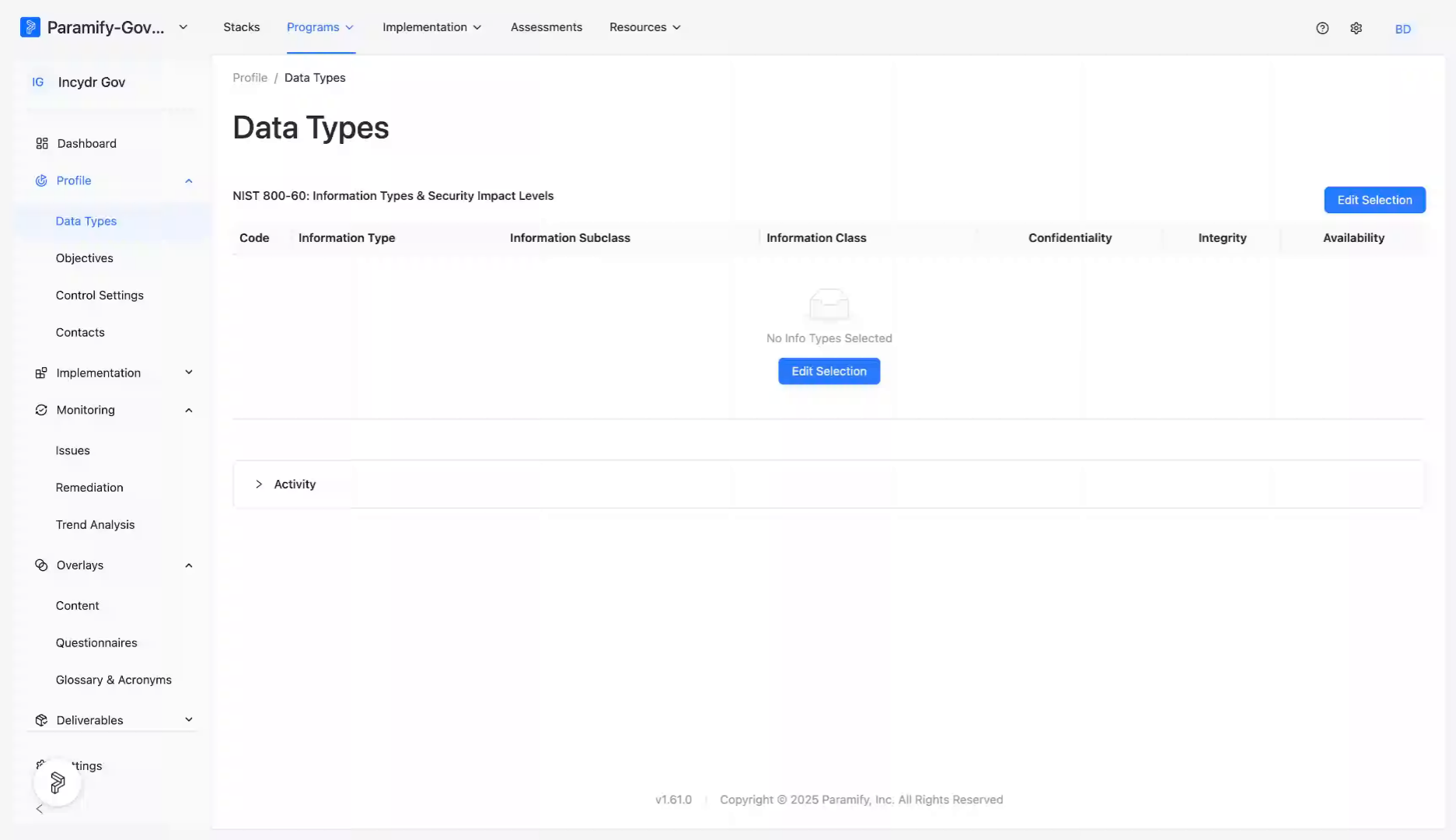
2. Click Edit Selection Button
Click the Edit Selection button to begin modifying the data types associated with your program.
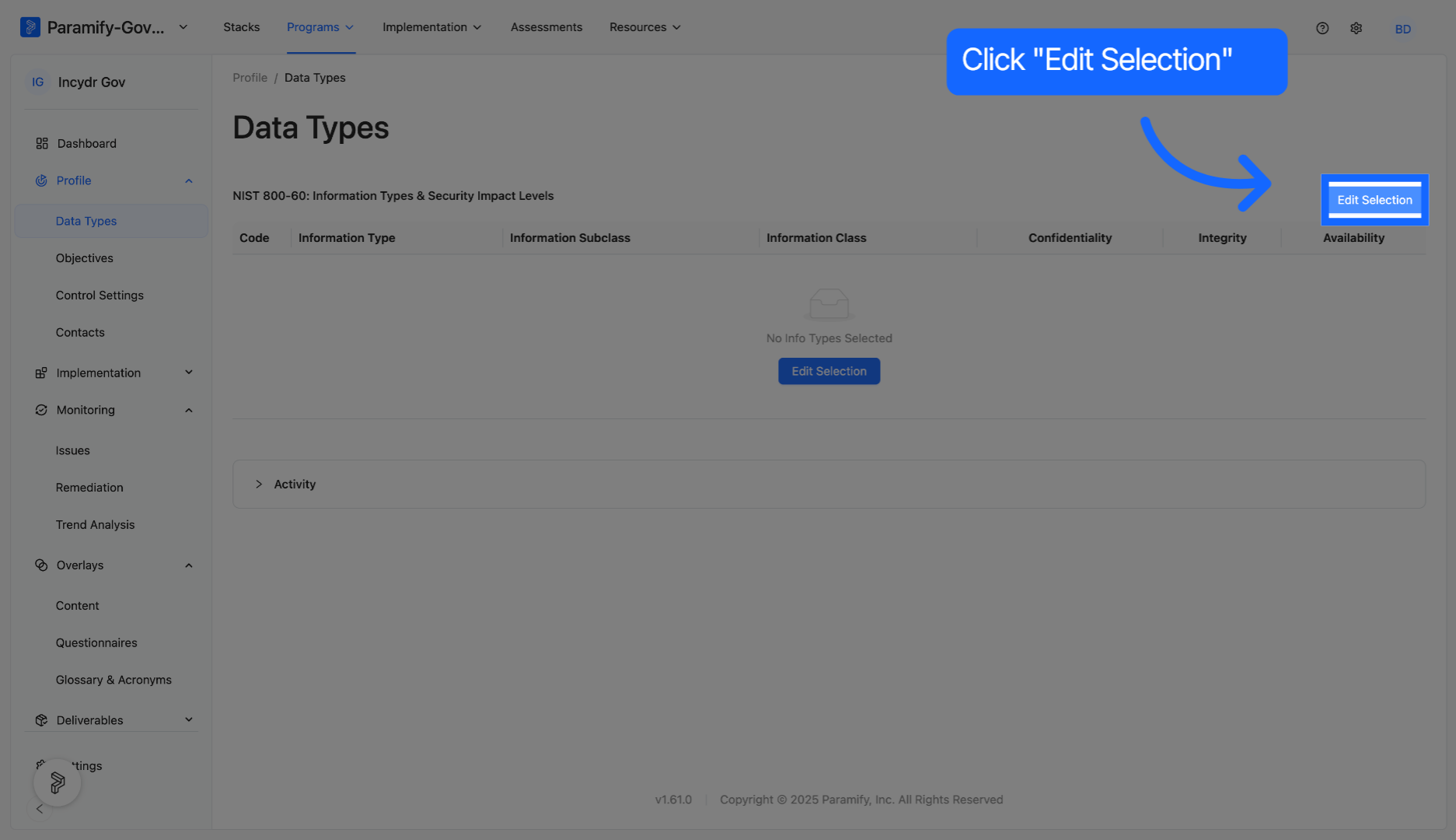
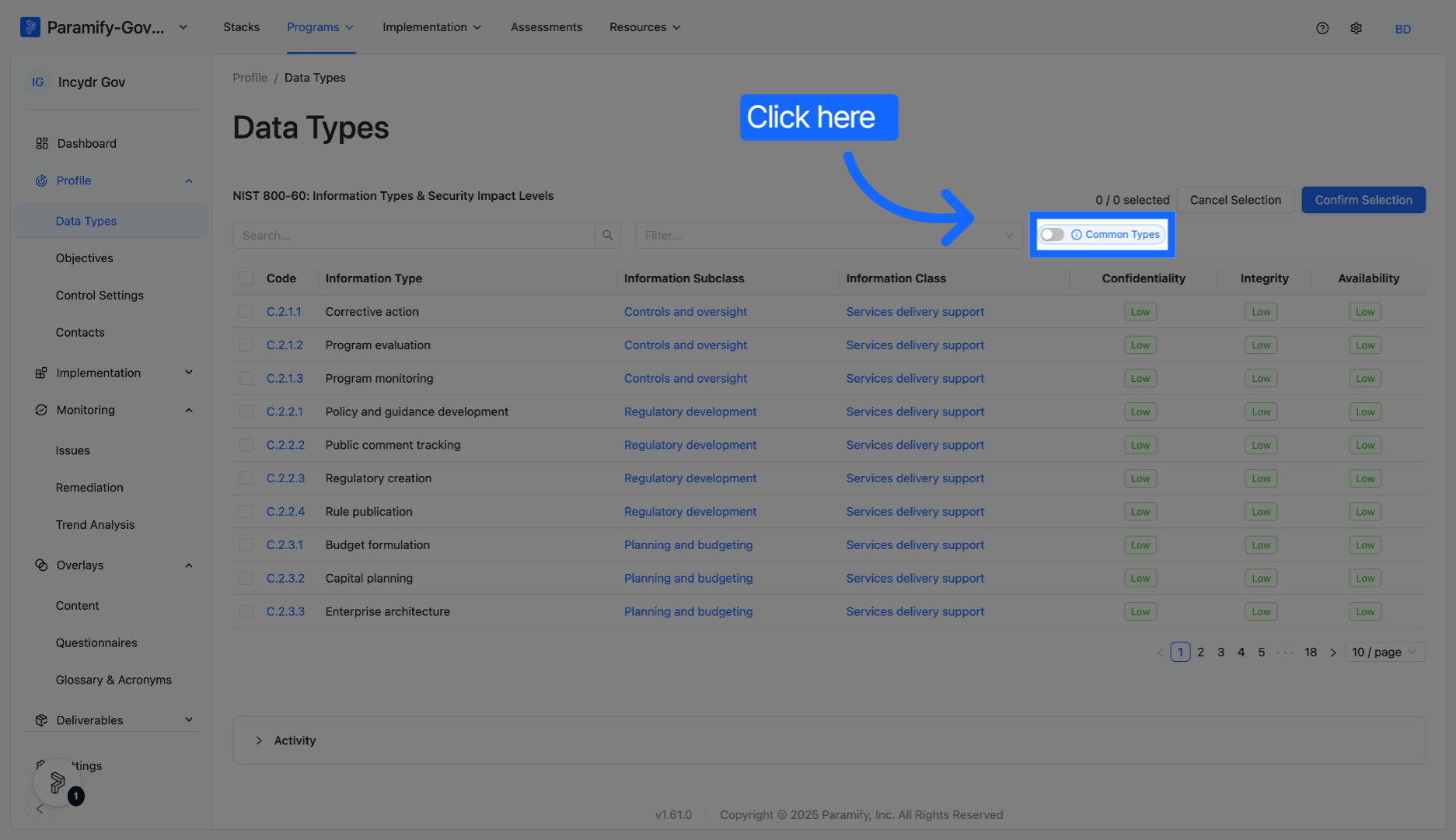
3. Access Selection Options
Paramify allows streamlined access to common data types within the NIST 800-60 framework.
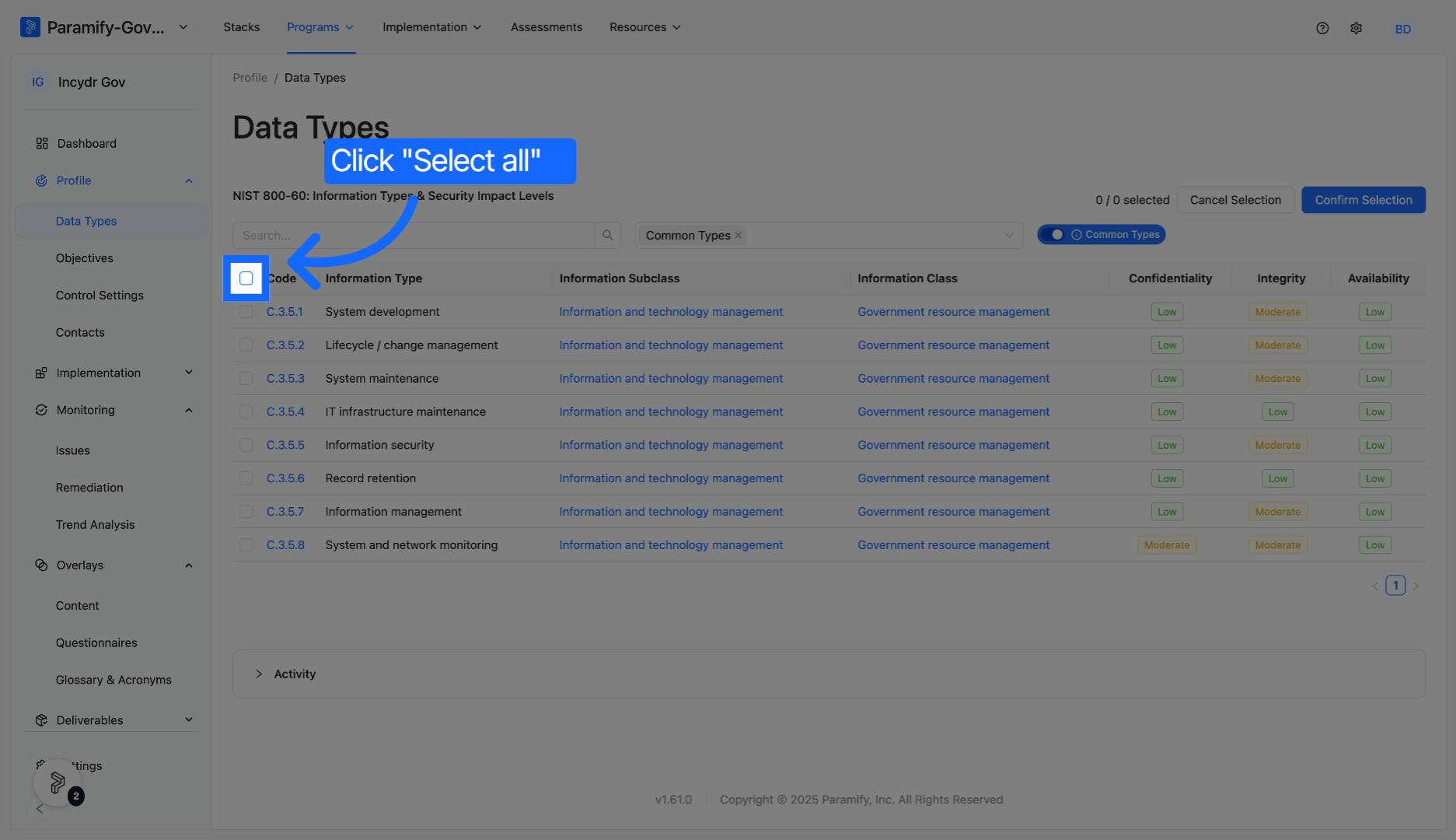
4. Select All Data Types
If desired, click the "Select all" box to include every available data type in your program configuration.
5. Accessing More Detailed Information
Click on each individual data type to see more information.
6. Adjusting Default Impact Levels
You have the ability to adjust the default impact levels according to your needs.
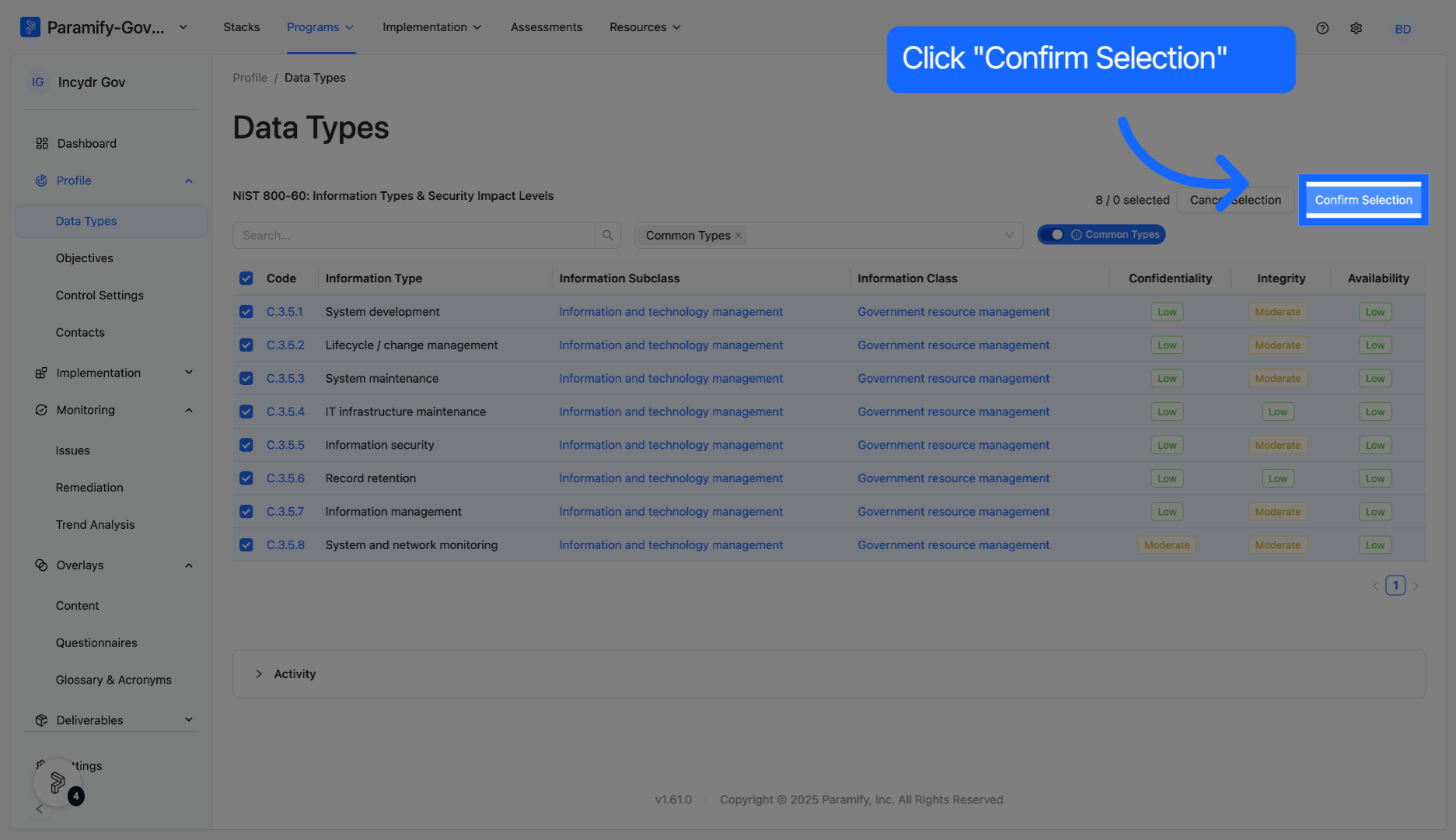
7. Confirm Data Type Selection
Click Confirm Selection to save and apply your chosen data types to the program.
You have successfully configured data types in your Paramify program by selecting and confirming the desired options.
Comments
0 comments
Please sign in to leave a comment.